
How to Track and Analyze Inbound Leads in WADesk
Inbound Lead Statistics
Navigation Path (Desktop Client): Desktop Client → right sidebar → Inbound Lead Statistics
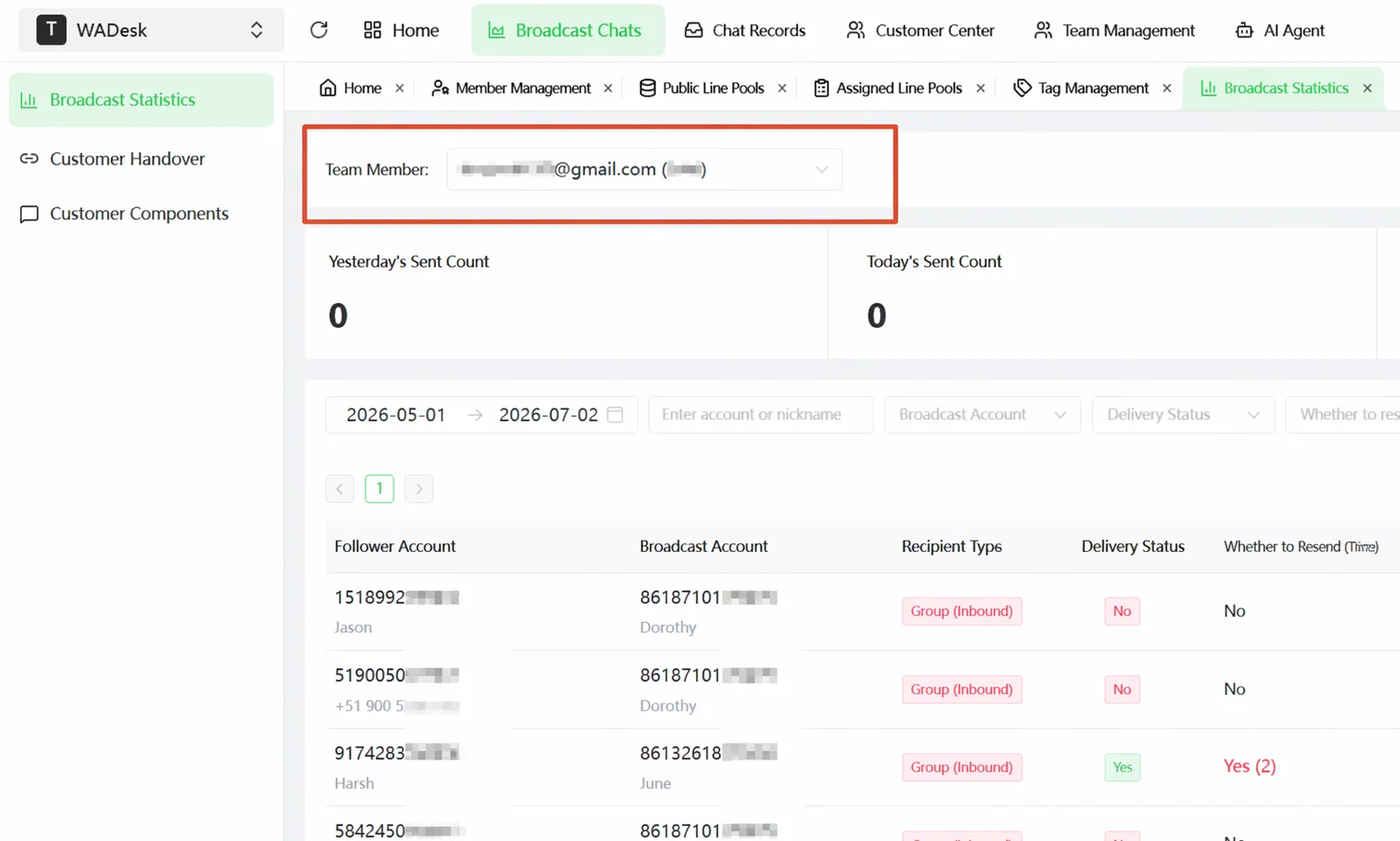
Navigation Path (Home): Home → Inbound Acquisition → Inbound Lead Statistics
Inbound Lead Statistics is the new customer "traffic pool" — it records all new contacts who have had a conversation with your WhatsApp numbers.
Inbound Leads vs. Contacts: What's the Difference?
- Inbound Leads — Any contact that has a conversation window with your WhatsApp number (whether or not they replied) automatically appears in Inbound Lead Statistics.
- Contacts — Includes assigned leads whose WhatsApp numbers have not yet had a conversation window.
View Inbound Lead Overview
The top of the page displays three core data cards: Yesterday's Inbound, Today's Inbound, and This Week's Inbound. In Home, admins can switch to view a specific sales rep's inbound data using the Team Member dropdown at the top.
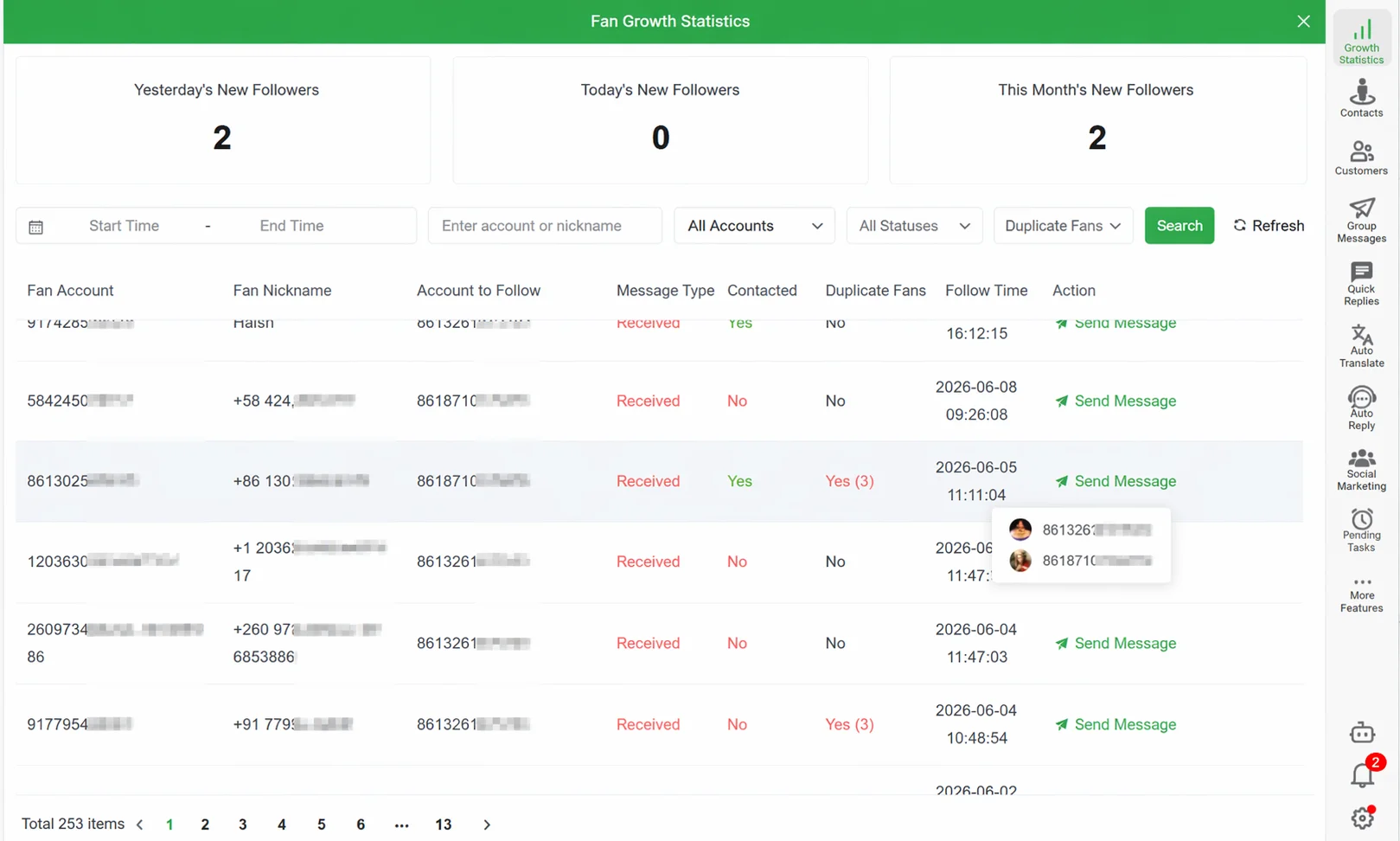
Inbound Lead Statistics Column Definitions
| Column | Description |
|---|---|
| Contact Number | The customer's WhatsApp number |
| Receiving Account | Your WhatsApp number that received the customer |
| Acquisition Type | Inbound or Outbound |
| Contacted | Green Yes indicates a conversation has occurred; red No means a conversation window exists but no communication has taken place |
| Duplicate Contact (Team) | Whether the customer is being followed up by multiple team members simultaneously |
| Duplicate Contact (WA) | Whether the customer was added by multiple WhatsApp numbers under the same sales rep |
| Earliest Inbound Time | The time the customer first had a conversation with your number |
Inbound means the customer initiated contact; Outbound means you initiated contact.
Filter Target Customers
The list supports multi-dimensional combined filtering: Date Range, Enter Account or Nickname, Receiving Account, Contacted, Duplicate Contact (Team) / Duplicate Contact (WA). After setting your filters, click Search. The inbound volume data at the top also updates accordingly.
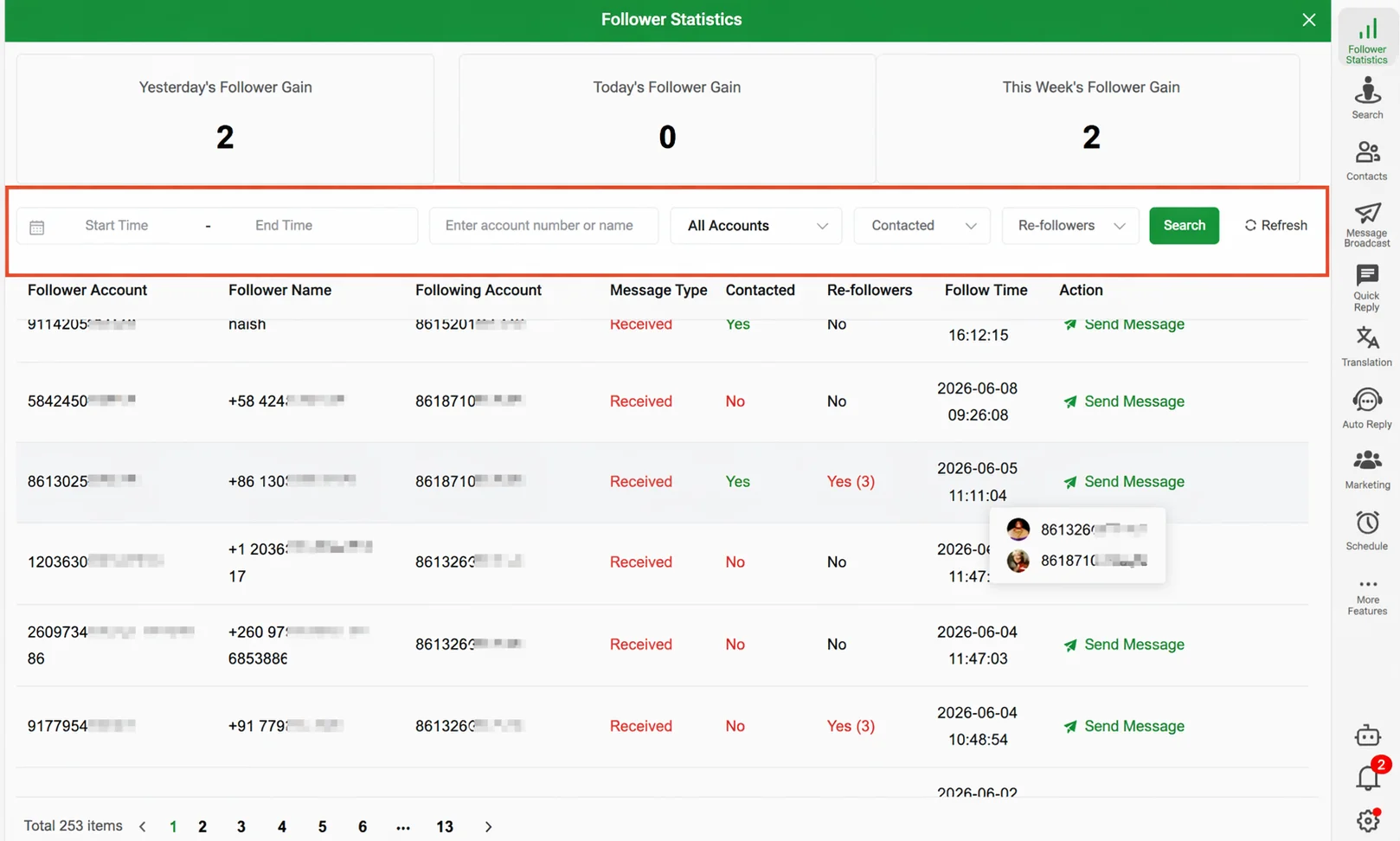
Important Notes
- Duplicate Contact refers to overlapping follow-up across WhatsApp numbers logged into the same account.
- When Number Masking is enabled, sales reps cannot view full customer numbers in Inbound Lead Statistics.
FAQ
Q: A customer messaged me, but they didn't appear in Inbound Lead Statistics. Why? A: Inbound Lead Statistics only records conversations with WhatsApp numbers bound to your WADesk account. Conversations in the native WhatsApp app rather than the WADesk Desktop Client are not synced.
Q: The Acquisition Type shows "Inbound," but I added the customer proactively. Why? A: Acquisition Type is determined by who sent the first message. If you added the customer but they sent the first message, the system records it as Inbound.
Q: Are the Inbound Lead Statistics data in the Desktop Client and Home the same? A: The data source is the same, but the perspective differs. The Desktop Client only shows inbound records for the currently logged-in sales rep. Home shows inbound data for all team members.