Managing WhatsApp Business with multiple users is a key challenge for growing businesses. The app offers basic support for multiple devices, but as businesses scale, they need more advanced tools to optimize customer service and marketing. In this blog, we'll explore how to use WhatsApp Business with multiple users, its limitations, and how WADesk addresses WhatsApp Business with Multiple Users limitations to enhance efficiency and performance.
Step-by-Step Guide to Using WhatsApp Business App with Multiple Users
1.Open the WhatsApp Business app on the primary device.
2.Go to Settings > Linked Devices.
3.Select Link a Device and scan the QR code displayed on the secondary device.
While this process allows multiple users to access the account, it doesn’t provide advanced functionality like task assignment or performance tracking.
Limitations of WhatsApp Business with Multiple Usersgement
Although WhatsApp Business offers multi-device support, it has several limitations, especially when managing multiple users:
1. No Agent Assignment
The app lacks the ability to assign specific chats to agents. As a result, multiple agents might end up responding to the same customer, leading to confusion and potential duplication of efforts.
2. No Task Management or Prioritization
Without task management or prioritization features, teams may struggle to handle high-priority inquiries promptly. This could lead to missed opportunities or delayed responses.
3. No Performance Tracking
WhatsApp Business doesn’t offer tools to monitor agent performance or track response times. Businesses cannot assess individual agent productivity or customer satisfaction directly through the app.
4. Marketing Limitations
While WhatsApp Business with Multiple users can be a powerful tool for customer interaction, it has several marketing limitations:
No CRM Integration: WhatsApp Business does not integrate with CRM systems, which limits customer data management and segmentation.
Limited Broadcast Messaging: You can send broadcast messages, but they can only reach customers who have saved your number.
No Automation for Campaigns: The app does not support automated marketing campaigns like follow-up messages, promotional offers, or reminders.
How WADesk Solves WhatsApp Business With Multiple Users Limitations
WhatsApp CRM is designed to overcome the limitations of WhatsApp Business, especially when managing multiple users, improving marketing efforts, and streamlining communication. Here’s how WhatsApp CRM addresses these challenges:
1. Agent Assignment and Task Management
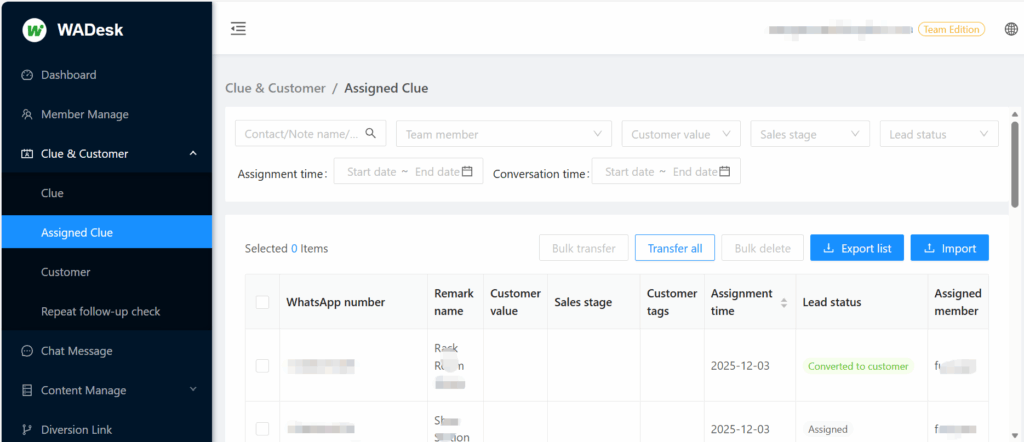
WADesk allows businesses to assign specific chats to agents, ensuring that each customer query is handled by the appropriate person. This feature prevents multiple agents from responding to the same customer, reducing confusion and improving response times.
- Lead Assignment: WADesk’s lead assignment feature ensures that each lead is assigned to the right agent for timely follow-ups.
2. Prioritization and Tagging of Chats
With WADesk, you can prioritize customer chats based on urgency and tag them accordingly. This ensures that high-priority inquiries are handled first, improving overall service and reducing response delays.
- Task Reminders: Set to-do-list for important tasks, ensuring your team never misses a follow-up or critical message.
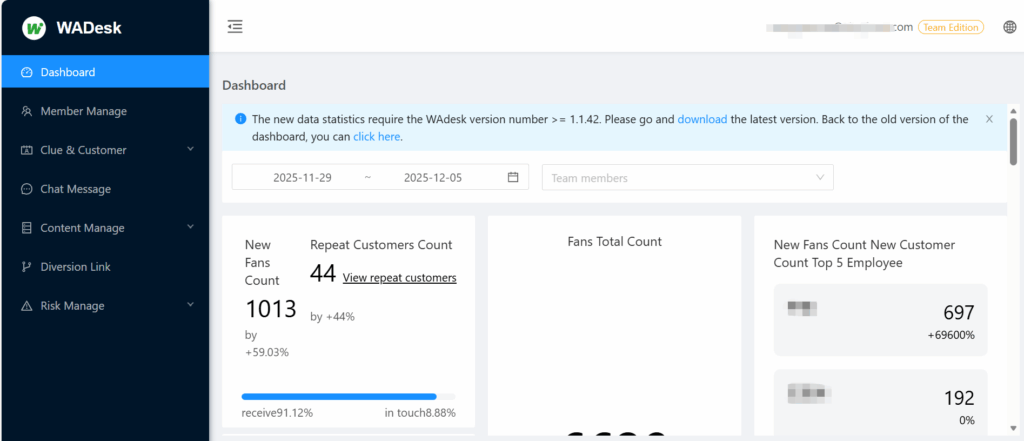
3. Performance Monitoring and Analytics
WADesk offers real-time dashboards that track agent performance, response times, and overall team efficiency. This allows managers to monitor productivity and optimize workflows, ensuring consistent customer service.
- Team Dashboards: WADesk’s dashboards provide an overview of team productivity, helping businesses make data-driven decisions.
4. Marketing Automation and Advanced Features
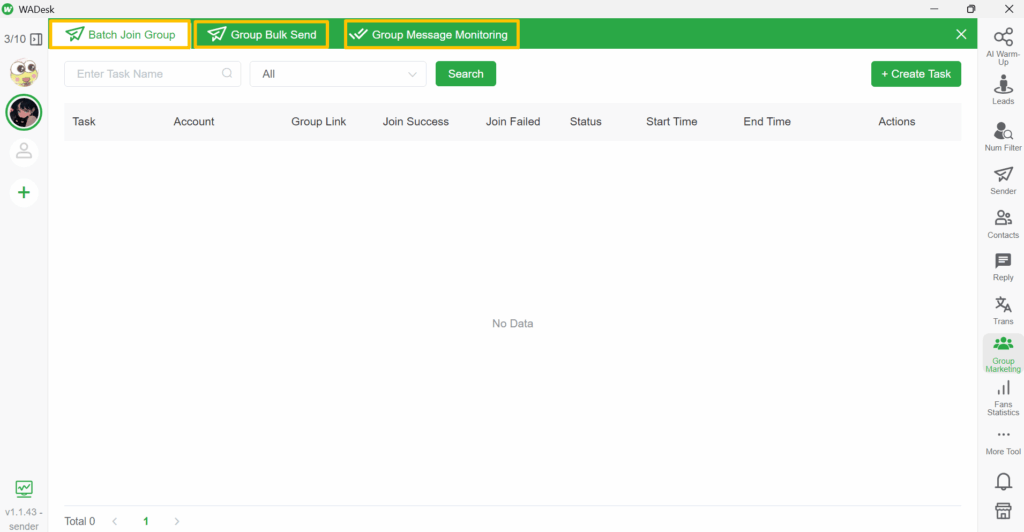
WhatsApp CRM significantly improves WhatsApp Business’s marketing capabilities. It includes automation tools, multi-account messaging, and advanced segmentation, making it easier to run effective marketing campaigns.
- Bulk Messaging: WhatsApp CRM enables bulk messaging across multiple accounts, improving your ability to reach large audiences without risking account suspension.By the way, there is a handy converter called Online AI Humanizer that can be used to translate PDF files.
- Automated Campaigns: Set up automated marketing campaigns, including promotions and follow-ups, which can run without manual intervention, saving time and resources.
- AI-Powered Marketing: Use WADesk’s AI assistant to enhance your messaging by optimizing copy, improving engagement, and boosting customer response rates.
5. CRM Integration and Customer Data Management
One of the major advantages of WADesk is its seamless WhatsApp CRM integration, which allows businesses to manage customer data more effectively. This integration helps in segmenting customers, tracking interaction history, and running targeted marketing campaigns.
- Customer Segmentation: With wadesk, you can tag customers to categorize them.
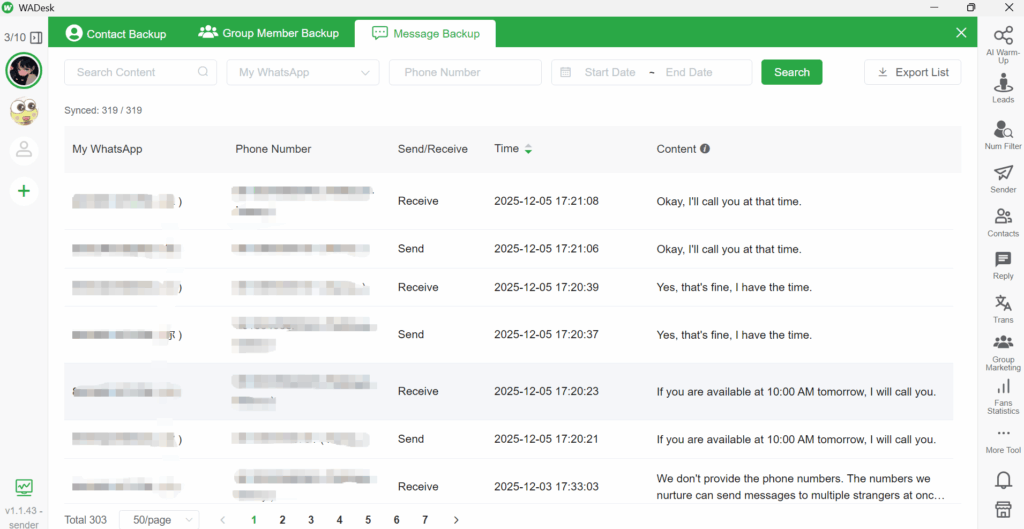
- Data Backup: WhatsApp CRM ensures that all customer data, chat histories, and sales information are securely backed up, preventing data loss even if an account is suspended.
Conclusion
For businesses using WhatsApp Business with multiple users, the app offers basic functionality but falls short in terms of team management, performance tracking, and marketing automation. WhatsApp CRM enhances WhatsApp Business with multiple users by providing advanced features like chat assignment, bulk messaging, marketing automation, and CRM integration. These features help businesses streamline communication, improve team collaboration, and run targeted marketing campaigns effectively.
If you’re looking to optimize your WhatsApp Business with multiple users and overcome its limitations, WhatsApp CRM is the ideal solution. Start using WhatsApp CRM today to improve your customer service and marketing operations, and drive greater engagement and conversions!
If you have any questions,you can contact me.
telegram:https://t.me/WADesk_Nancy
Want to learn more about foreign trade?
WhatsApp unblocking/Unofficial/Unable to receive verification code?
What are WADesk's anti-blocking mechanisms and key features?
Scan the QR code to join the group, let's exchange ideas and make money together!