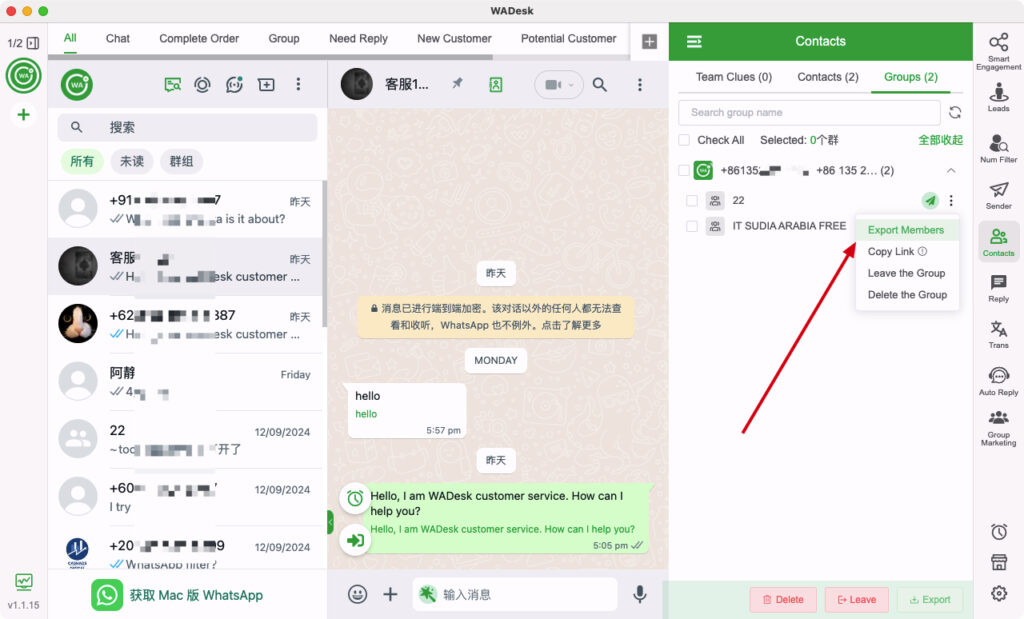
In e-commerce and international marketing, WhatsApp is the ultimate channel for scaling private customer data. However, managing dozens or hundreds of accounts simultaneously is a high-wire act. A single flag for network or device association can trigger a domino-effect ban, wiping out your hard-earned customer base overnight.
Why do accounts get banned, and how can you scale safely? This guide breaks down the core risks, introduces the ideal proxy infrastructure, and provides a 5-minute setup guide to completely protect your multi-account matrix.
I. What Are the Risks of WhatsApp Multi-Account Management?
Within the official WhatsApp ecosystem, a natural person is typically expected to own only one account, one device, and one home network. When you attempt to manage multiple accounts simultaneously without proper isolation, the following risks emerge:
1. IP Abnormality and Risk Contamination
This is the single most common cause of account bans. When multiple WhatsApp accounts log in from the exact same IP address, the platform flag-tags these accounts as linked/associated. If just one account gets reported or flagged for sending promotional content, all other accounts sharing that IP will suffer a domino-effect ban.
When using free or public proxies, you have zero visibility into the historical footprint of that IP. If the IP was previously used to blast spam or has been blacklisted by WhatsApp's parental filters, any new account logging in via this node will face an immediate ban.
2. Device Fingerprint Association
Even if you route accounts through different IPs, logging into multiple profiles within the same standard browser environment (sharing the same cache, cookies, Canvas fingerprints, etc.) allows WhatsApp's background algorithms to match device data. Once the platform determines these accounts belong to the same operator, it triggers an association ban.
3. Insufficient Trust Score on New Accounts
Freshly registered WhatsApp accounts carry a very low trust score. The platform monitors new numbers with high stringency. If any abnormal behavior occurs during the initial "warm-up period" (typically the first 7–14 days), the account will be banned instantly.
4. Bulk Message Triggers
WhatsApp is fundamentally designed as a personal communication utility, not a bulk marketing channel. Blasting identical or highly similar text templates to large volumes of unsaved numbers in a short timeframe will trigger anti-spam algorithms, resulting in temporary restriction or permanent suspension.

II. IPFoxy Proxy Solution For Safe Multi-Account Management
IPFoxy is a global proxy service provider specializing in high-quality proxy IP solutions. It offers over 90 million real residential IPs across 200+ countries and regions worldwide.
It provides businesses with clean, exclusive, and highly anonymous network environments, enabling account isolation and reducing cross-account linkage risks across strict platform compliance systems.
1. IPFoxy Proxy Types & Use Cases
To support different growth stages of cross-border enterprises, IPFoxy offers tailored proxy categories. Below is an in-depth comparison of how different IPFoxy proxies perform in WhatsApp multi-account operations:
| Proxy Type | Trust Score | IP Stability | Core Features | WhatsApp Applicability |
|---|---|---|---|---|
| ISP Residential | ⭐⭐⭐⭐⭐ | Permanent / Fixed | Allocated by authentic ISPs; recognized as a real household broadband connection; highest trust tier. | Highly Recommended: The absolute gold standard for long-term WhatsApp multi-account operations. |
| Rotating Residential | ⭐⭐⭐⭐ | Rotating / Fluid | Shifts IP per request or based on sticky session duration; features a massive global IP pool. | Secondary Recommendation: Ideal for bulk registration phases, short-term testing, or scraping target market data. |
| Mobile Proxies | ⭐⭐⭐⭐⭐ | Fixed or Rotating | Sourced from real 4G/5G mobile base stations; carries authentic mobile network operator credentials. | Recommended: Excellent for mobile-native WhatsApp emulation and extreme anti-fraud bypass scenarios. |
| Datacenter Proxies | ⭐⭐ | Fixed / Fast | Hosted via cloud service providers (e.g., AWS, GCP); identified explicitly as data center/machine infrastructure. | Not Recommended: Highly vulnerable to being flagged as a non-residential network, resulting in high ban rates. |
Pro Tip: For mainstream WhatsApp multi-account marketing, Static Residential ISP Proxies are your best choice. Because they are exclusively bound to you and originate from actual residential ISPs, they represent the absolute highest tier of trust within Meta's network validation engine.
2. Core Advantages of IPFoxy for WhatsApp Marketing
- Pure Static Residential IPs (ISP): Unlike datacenter IPs that are easily blacklisted by Meta, IPFoxy's residential IPs carry native organic trust. It allows you to bind a unique, unalterable IP to each WhatsApp profile, executing a bulletproof "One Account, One IP" risk isolation model.
- High Trust & Ultra-Low Latency: WhatsApp Web and its underlying WebSockets protocols demand continuous, real-time data sync. IPFoxy optimizes global network pathways to ensure frictionless message delivery, fast media loading, and lag-free bi-directional translation.
- Flawless Multi-Protocol Compatibility: Full native support for HTTP, HTTPS, and SOCKS5 protocols ensures seamless integration with industry-standard multi-account workspace managers, including WADesk, AdsPower, Multilogin, and more.
III. Best Practices: How to Configure IPFoxy Proxy in WADesk?
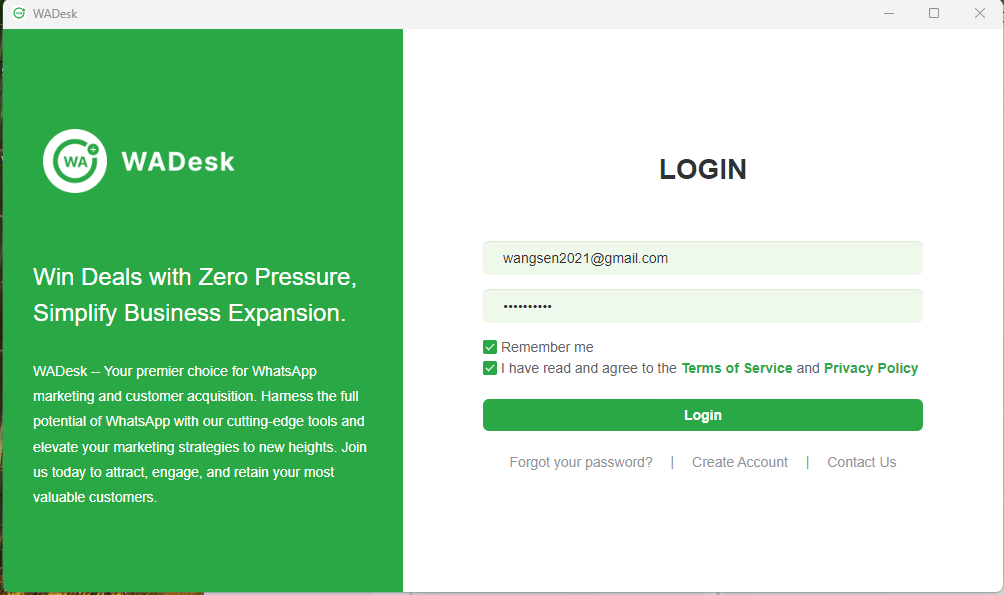
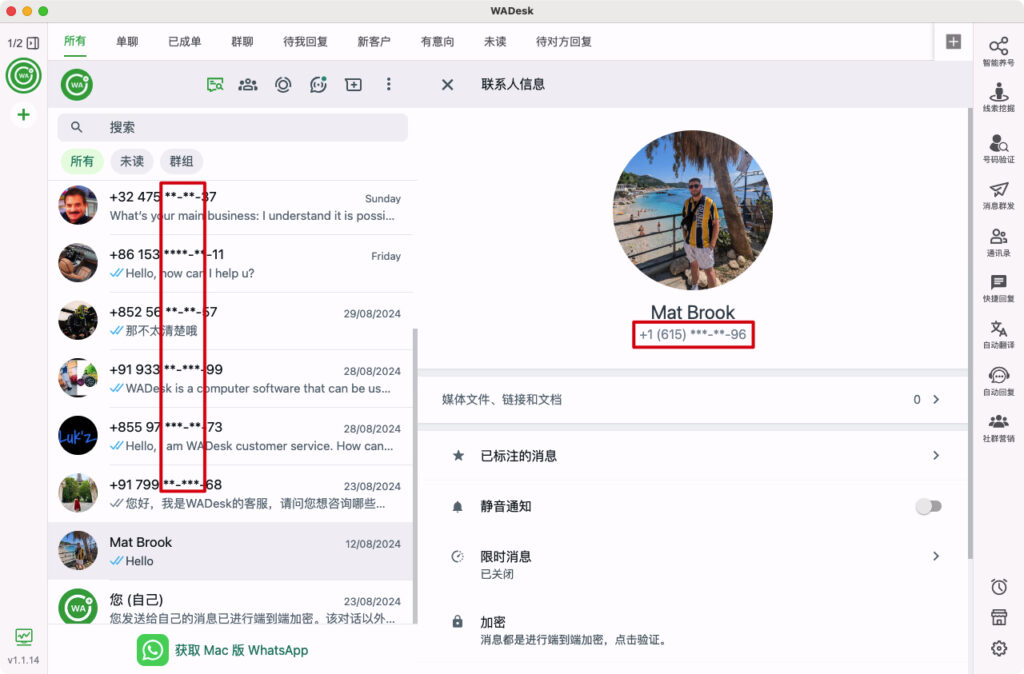
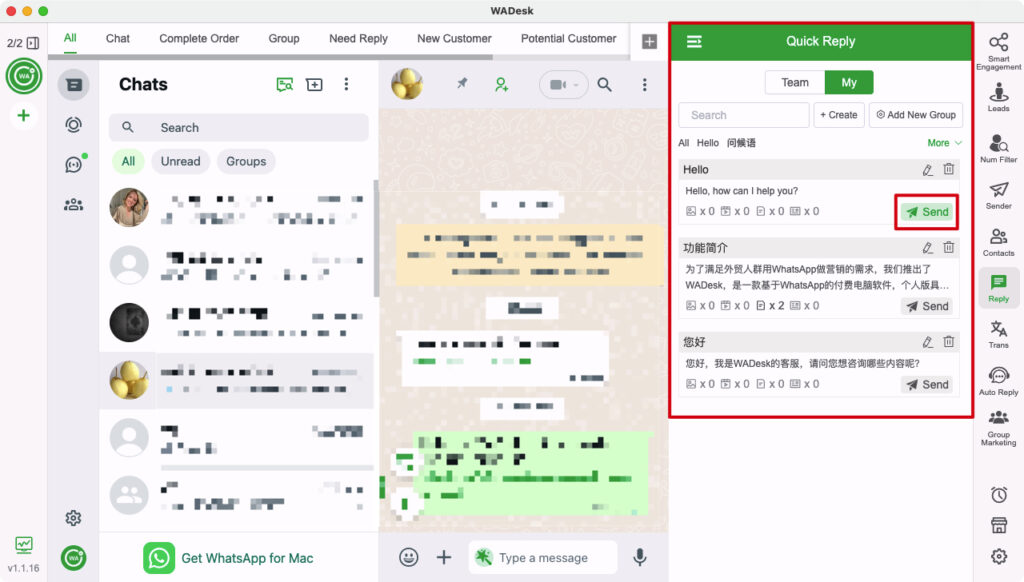
WADesk is an all-in-one WhatsApp CRM management platform. Combined with IPFoxy proxies, it enables secure and efficient multi-account scaling.
In real operations, we recommend combining device isolation, network separation, and behavioral strategy:
-
Full Profile Isolation:
Use WADesk to assign an independent fingerprint browser container for each WhatsApp account. -
Dedicated IP Binding:
Assign a unique IPFoxy static residential IP to each isolated WADesk environment. -
Human-like Behavior Simulation:
Each account should maintain independent behavioral patterns to avoid bulk automation signals.
Step-by-Step Tutorial: Setting Up IPFoxy Proxies in WADesk
The setup takes less than 5 minutes. Follow these direct steps:
Step 1: Extract Your IPFoxy Proxy Credentials
Log into your IPFoxy Proxy Dashboard. Go to your proxy management panel and select the appropriate proxy type.
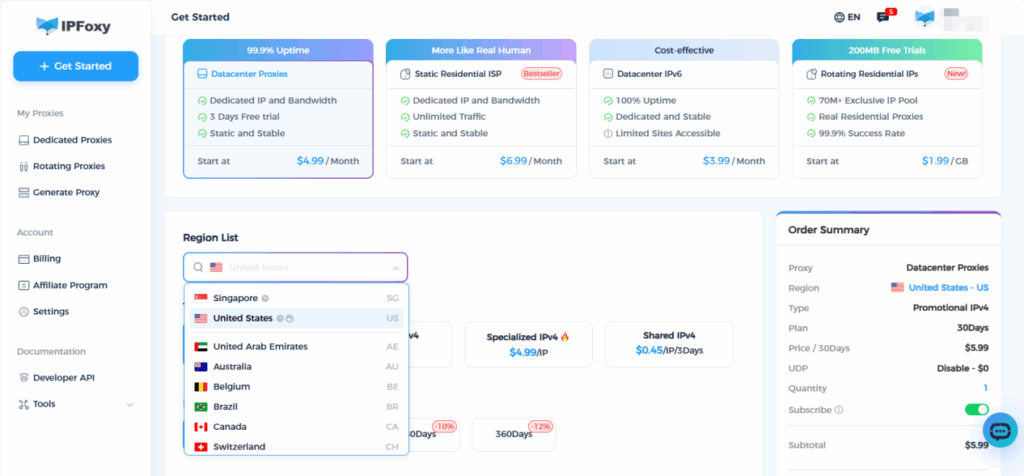
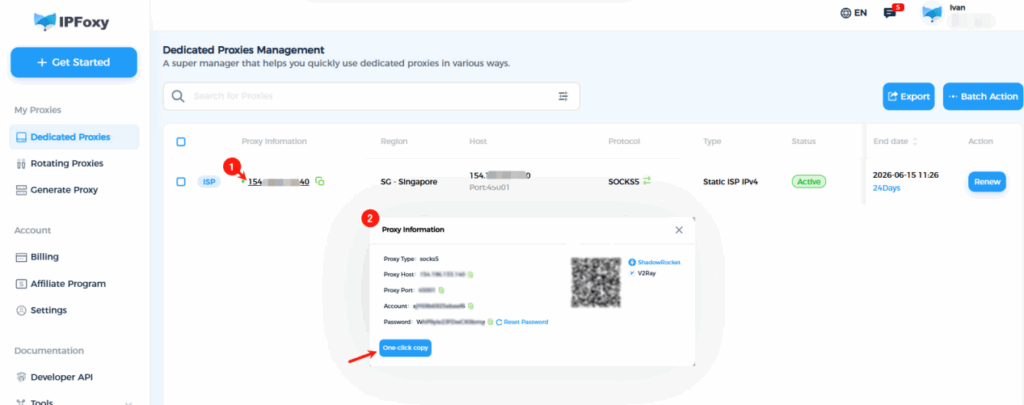
Taking Static Residential IPs as an example, click 'Proxy Info' on the proxy management page to copy the following four critical parameters: IP Address (Host), Port, Proxy Username, and Proxy Password.
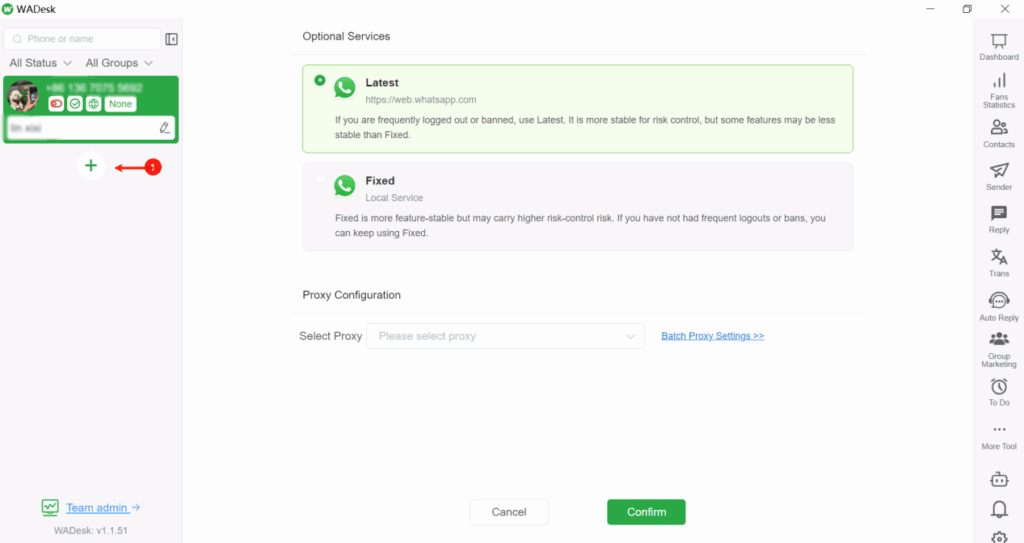
Step 2: Create an Isolated Environment in WADesk
Launch your WADesk Client.And click the "+" (Add New Account) icon in the interface.
This initializes a brand-new browser fingerprint profile container completely independent of your other setups.
Step 3: Configure Network Proxy Parameters
Inside the newly created profile, navigate to the Network Settings or Proxy Configuration module.Toggle the proxy functionality to ON and click the [Add Proxy] button.
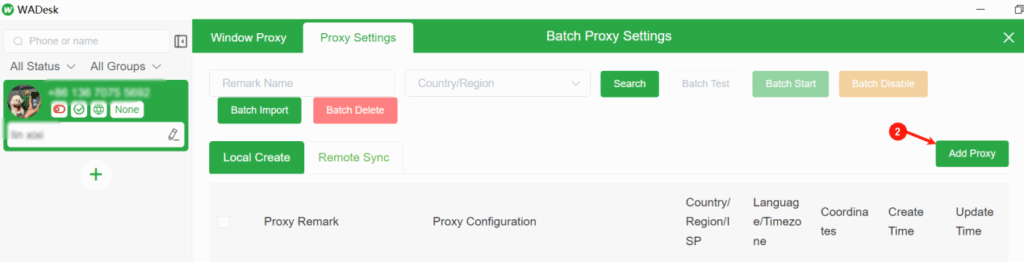
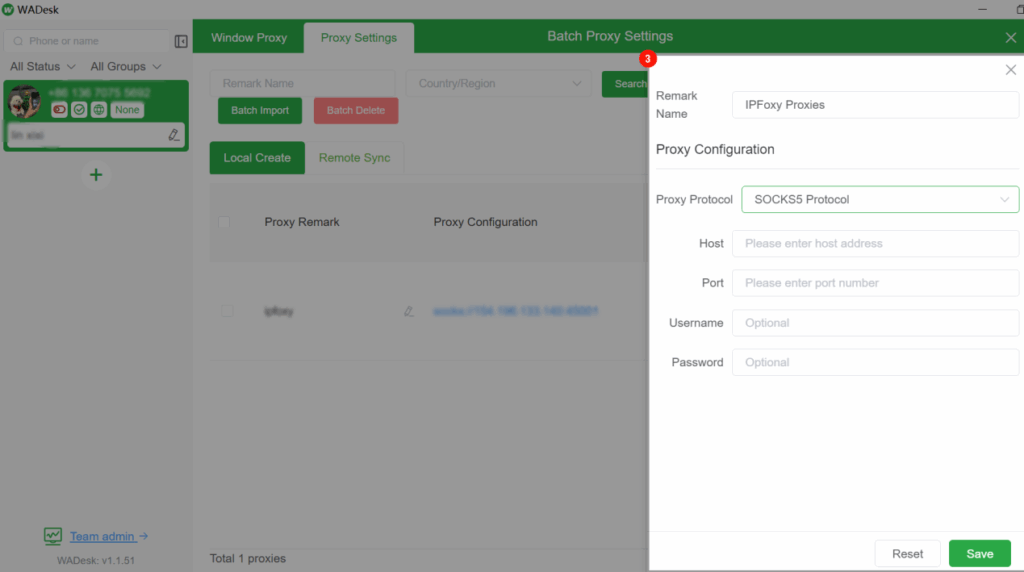
Select your designated protocol (e.g., SOCKS5 or HTTP). Precisely paste the Host, Port, Username, and Password parameters you copied from IPFoxy in Step 1, then click Save.
Step 4: Verify Environment Integrity & Security
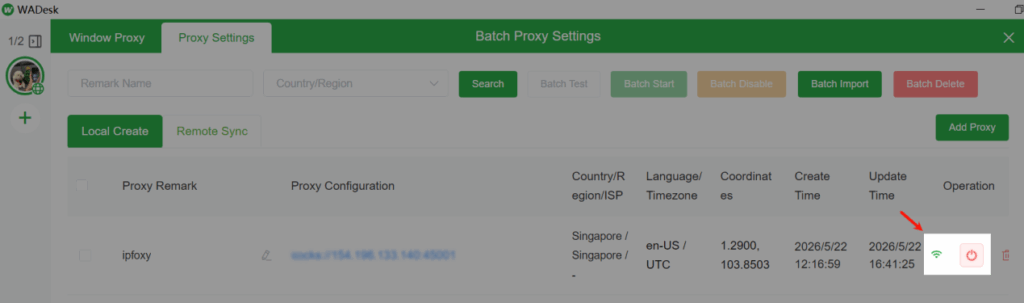
Click the "Test Connection" button inside WADesk.Once the system prompts a successful connection, save the configurations and open the account profile container.
The isolated browser window will launch. You can navigate to an identity-check site like ipinfo.io within this window to double-check that the geographic location and ISP data perfectly mirror your IPFoxy node.
Step 5: Secure QR Code Scanning & Login
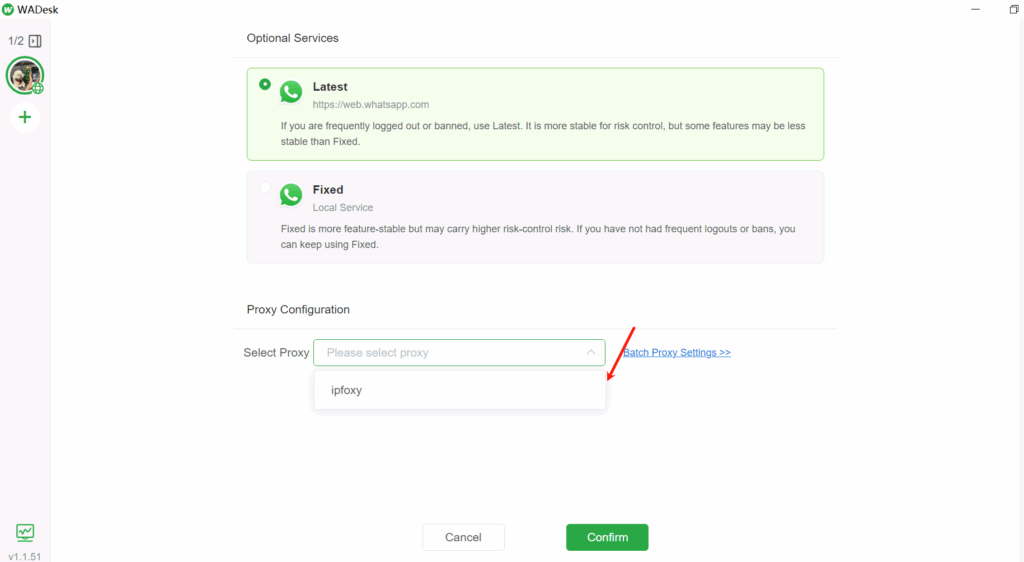
With your network and fingerprint metrics verified as completely green and safe, open the WhatsApp Web interface inside that specific WADesk container.
Use your physical mobile phone's "Linked Devices" feature to scan the onscreen QR code.
Your account is now safely logged in, fully insulated within an impenetrable, dedicated IPFoxy environment.
Conclusion
In the competitive arena of cross-border commerce, stable private customer data is the ultimate lifeline of your business. By bridging IPFoxy’s pure static residential isolation with WADesk’s professional SCRM management automation, your team can completely eliminate account suspension anxiety. Scale your matrix up to hundreds of accounts smoothly, secure your digital assets, and drive your international conversions forward with absolute peace of mind.