In the fast-paced world of digital communication, businesses must leverage innovative tools to streamline their customer support processes. One such tool is WhatsApp customer service automation. By integrating automation into WhatsApp support channels, companies can enhance customer experience, increase efficiency, and reduce response times. With WhatsApp crm,through multi-account management function, businesses use WhatsApp customer service automation to respond faster on WhatsApp—without adding more support agents.
What is WhatsApp Customer Service Automation?
WhatsApp is one of the most popular messaging platforms, with millions of active users worldwide. For businesses, WhatsApp offers an ideal channel to communicate with customers directly. However, managing a high volume of customer queries can be overwhelming without the right tools. This is where WhatsApp customer service automation comes in.
WhatsApp customer service automation refers to the use of automated systems to manage and respond to customer inquiries via WhatsApp. Automation can handle tasks such as answering frequently asked questions, directing customers to appropriate resources, and even processing transactions, all without the need for constant human intervention.
WhatsApp crm's Customer Service Automation Features
1. Automated Response Systems
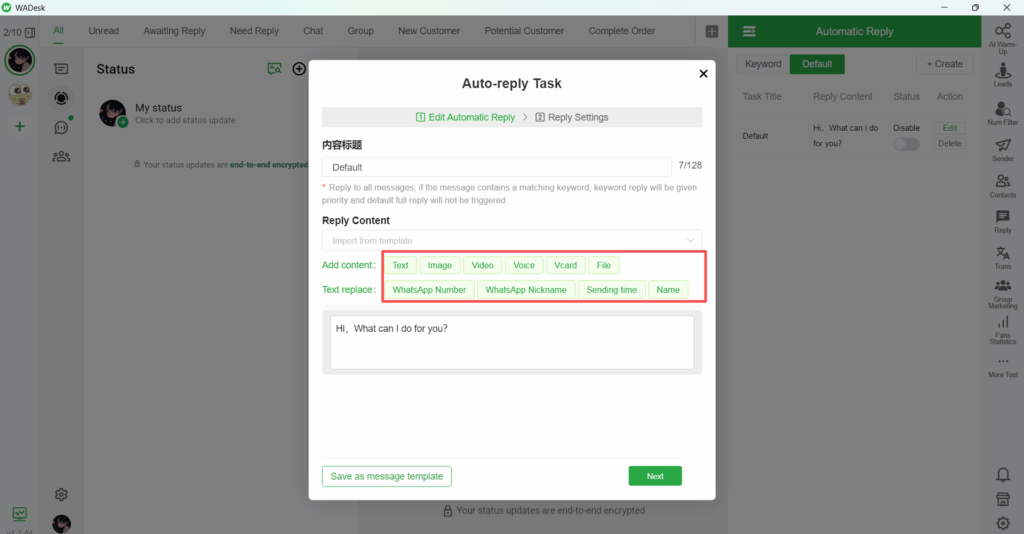
WhatsApp Customer Service Automation allows businesses to set up automated replies to customer inquiries. This ensures that customers receive instant responses, even during off-hours. By creating predefined responses for common queries, WhatsApp crm helps reduce the workload on human agents, allowing them to focus on more complex issues. The system can also route specific queries to the appropriate department or support team, improving the overall efficiency of customer service operations.
You can set either keyword replies or default replies. Reply content can include text, images, audio, video, etc., and text replacement is also supported.
2. Quick Replies
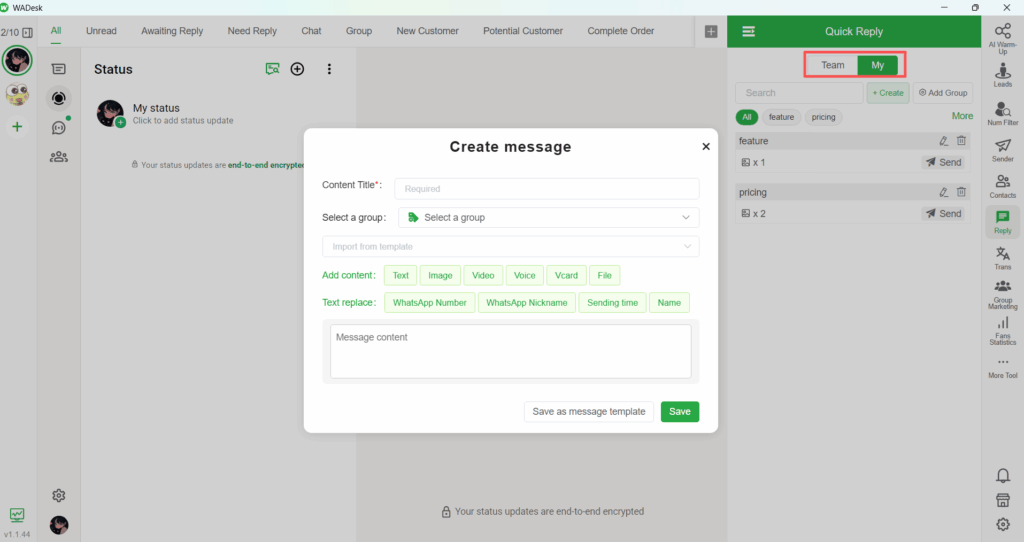
WADesk's quick reply feature allows businesses to respond to customer queries with predefined short answers. This is perfect for frequently asked questions or simple requests, saving time and ensuring that responses are consistent. Quick replies can be triggered by keywords or phrases, further automating the process and increasing the speed of customer interactions.
You can use either the team's standardized quick replies or your own custom quick replies. Reply content can include text, images, audio, and video, and text replacement is also supported,By the way, I'd like to share a free image translate online.
3. Bulk Group Messaging
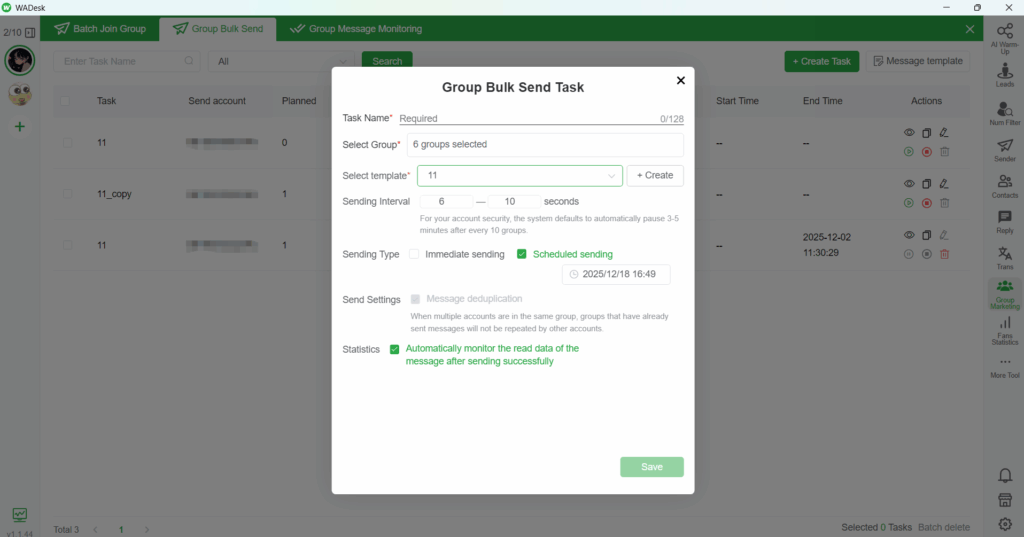
One of the most powerful features of WhatsApp Customer Service Automation is bulk group messaging. Businesses can send messages to multiple WhatsApp groups at once, making it easy to reach a large audience quickly. This is particularly useful for marketing campaigns, promotions, or customer updates. Bulk group messaging allows businesses to save time by sending the same message to many recipients without the need for manual input.You can also schedule messages.
4. Bulk Messaging to Strangers
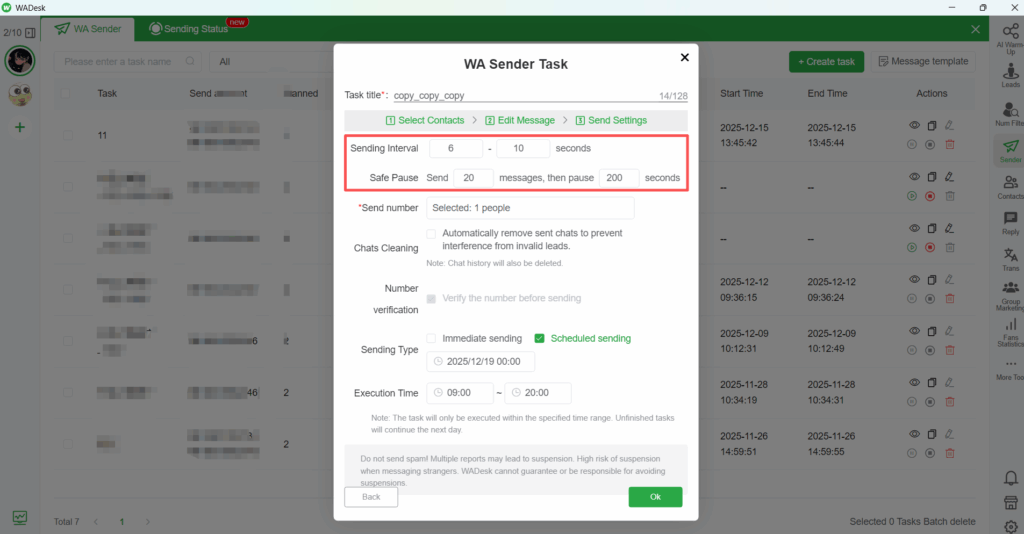
WADesk also enables bulk messaging to strangers, a key feature for businesses that want to expand their customer base or initiate outreach to potential clients. Whether for new product promotions, special offers, or engagement campaigns, this functionality allows businesses to send messages to a large number of potential customers who are not yet part of a group. By automating the process, businesses can efficiently reach out to many users at once, helping them grow their customer network and boost brand awareness.
You can select the account to be targeted. This feature uses AI to control message intervals and pause sending to ensure account security.By the way, there is a handy converter called Online AI Humanizer that can be used to translate PDF files.
5. Data Analytics and Reporting
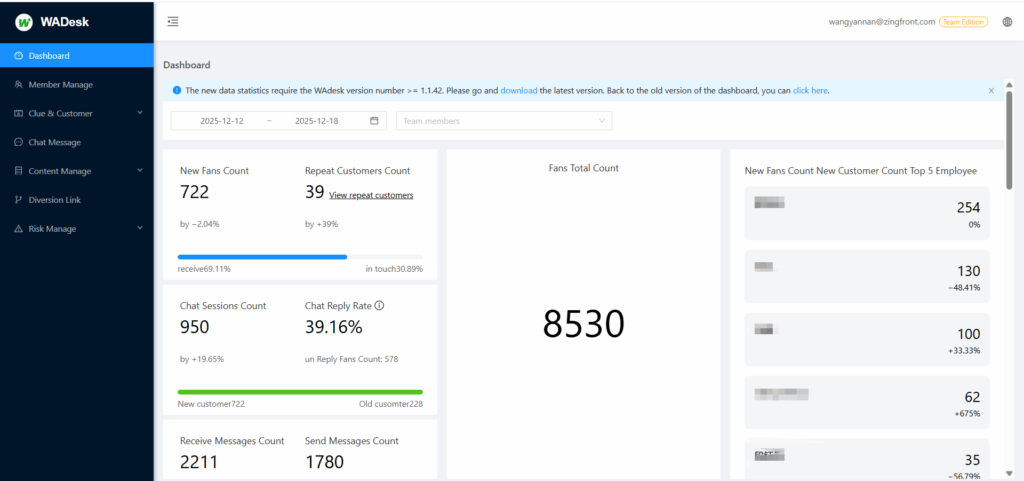
WhatsApp customer service automation is only effective if it provides insights that help businesses improve. WhatsApp crm offers powerful analytics tools that track customer interactions, measure response times, and identify frequently asked questions. This data can be used to optimize automated responses and enhance overall customer service strategies.
You can use the backend data statistics to review your work, thereby improving efficiency and addressing problems in your work.
Conclusion
Integrating WhatsApp customer service automation with WhatsApp crm offers several benefits that can significantly enhance customer support operations:
- Efficiency: Automation handles repetitive tasks, enabling support teams to focus on more complex issues, leading to faster response times.
- Cost Savings: By reducing the need for manual responses, businesses can lower operational costs while maintaining high levels of customer satisfaction.
- Consistency: Automated responses ensure that customers receive consistent information every time, regardless of when or where they reach out.
- Customer Satisfaction: Instant responses and 24/7 availability through automation improve overall customer satisfaction, fostering loyalty and trust.
By automating your WhatsApp customer service with WhatsApp crm, your business can provide exceptional support, ensuring a better customer experience and optimizing operations.
Ready to enhance your customer service with WhatsApp crm? Let's get started today!
If you have any questions,you can contact me.
telegram:https://t.me/WADesk_Nancy
Want to learn more about foreign trade?
WhatsApp unblocking/Unofficial/Unable to receive verification code?
What are WADesk's anti-blocking mechanisms and key features?
Scan the QR code to join the group, let's exchange ideas and make money together!