

WhatsApp Is More Than a Chat App — It's a Revenue Channel
Jack runs an industrial equipment export company with a team of six focused on Southeast Asia. For years, his lead generation relied on trade shows, cold emails, and LinkedIn outreach — each channel with its own limitations.
Trade show contacts often had non-functional WhatsApp numbers. Cold emails rarely got replies. LinkedIn conversations fizzled out after two messages.
This year, he tried a different approach. Instead of waiting for customers to find him, he built a WhatsApp monetization pipeline using WADesk — a complete flow from finding prospects to closing deals, all inside a single platform.
The pipeline does two things: find the people most likely to buy, and deliver your message to them at the lowest possible cost.
Below are two battle-tested paths. You can pick one or combine both based on your product and market.
Path 1: Google Maps Prospecting → Bulk Outreach → AI Auto-Reply
This is the most popular path among export teams. The logic is simple: find your customers where they already are.
Step 1: Find Prospects on Google Maps
For B2B export teams, Google Maps is one of the best free customer databases. Search for "auto parts distributor Bangkok" or "solar energy wholesaler Dubai" and Google Maps returns a clean list of businesses with phone numbers, addresses, emails, and websites.
WADesk's Google Maps data collection feature automates this process — input your target city and keywords, and it collects the contact information at scale. One setup, hundreds of qualified leads.
For a detailed walkthrough of Google Maps lead mining, check out our guide Google Maps Lead Generation for WhatsApp B2B Outreach.
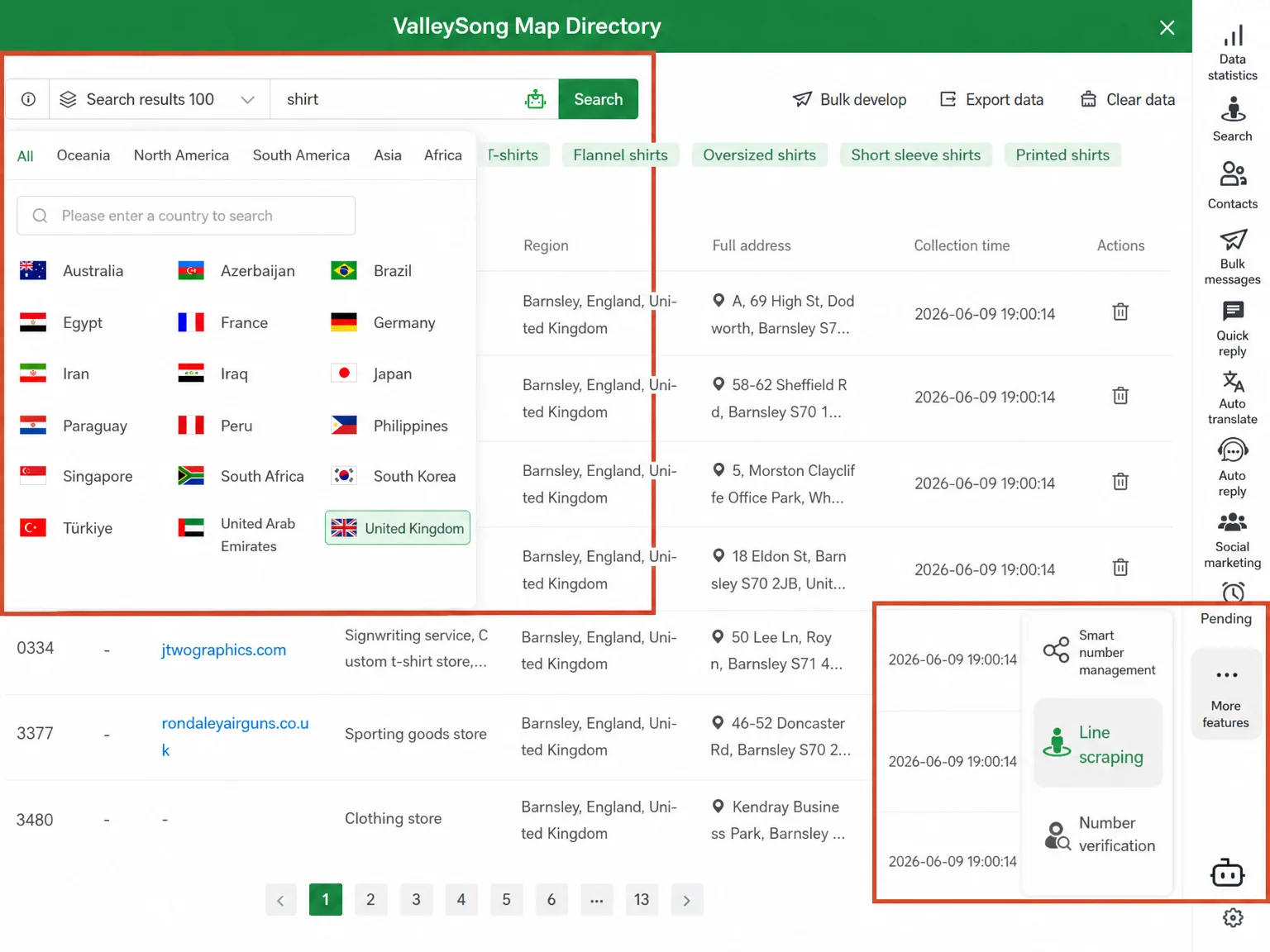
WADesk Google Maps data collection interface — read target business info at a glance: location, contact details, and business category.
Step 2: Reach Them with Bulk Messaging
Once you have the leads, the next question: how do you deliver your message efficiently?
Manually sending WhatsApp messages one by one? A single person can manage maybe 100 per day, and each message requires copy-pasting — terrible for both efficiency and experience.
WADesk's bulk messaging feature solves this. Write your outreach template (product highlights, pricing guide, case studies), select your recipient list, set the sending pace, and the system sends each message as an independent WhatsApp conversation. The recipient sees no difference from a manual message.
For best practices on bulk messaging, read How to Fix WhatsApp Broadcast Failures with Scheduled Bulk Messaging.
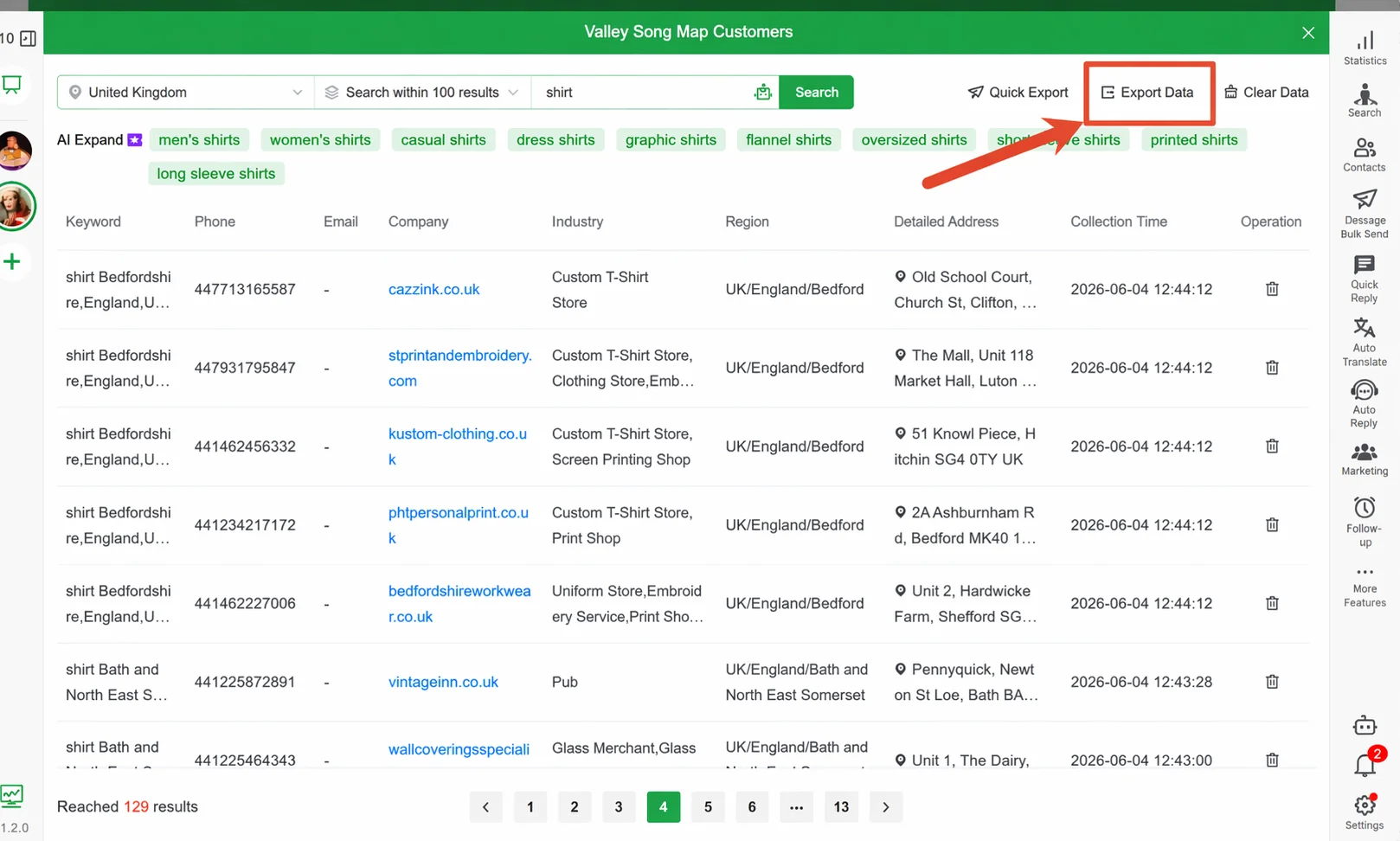
WADesk bulk messaging campaign interface — set it once, send at your pace with zero manual copy-pasting.
Step 3: AI Auto-Reply — Never Miss a Lead
Your bulk messages go out, and responses come back. That's great, but it creates a new challenge.
A salesperson's WhatsApp might light up with a dozen inquiries simultaneously: pricing questions, sample requests, delivery timelines. Slow responses mean lost opportunities.
WADesk's AI auto-reply acts as your first responder. Configure keyword-triggered replies (e.g., a "price" response sends your quote link automatically), or set overnight hours for the AI to handle common questions — ensuring every lead gets a response within minutes, not hours.
For detailed AI reply setup, see WhatsApp Keyword Auto-Reply Setup Guide and AI Auto-Reply for WhatsApp After Hours.
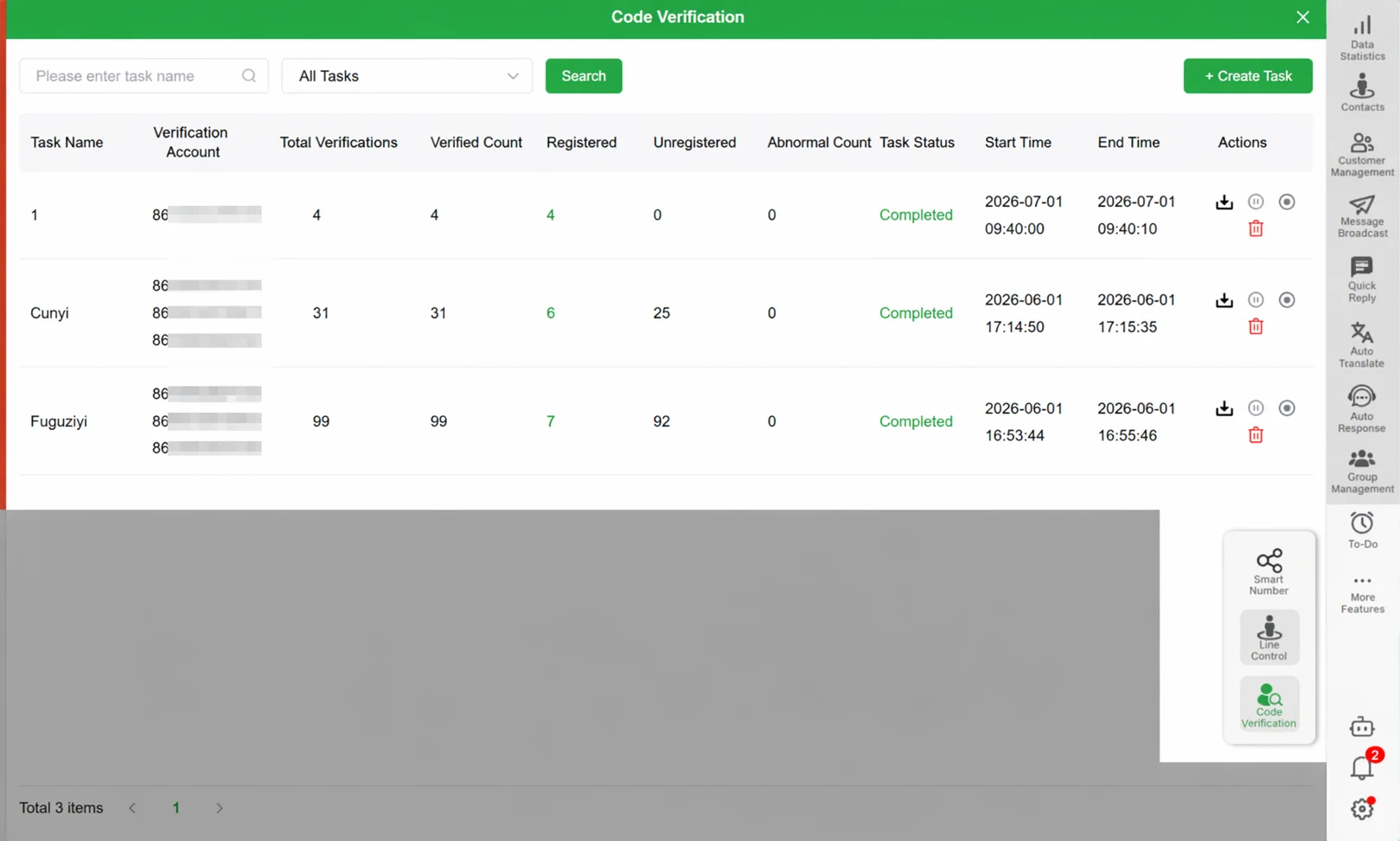
WADesk AI auto-reply rule configuration — configure once, never miss an inquiry again.
Path 2: Group Prospecting → Batch Join → Export Contacts → Private Chat Monitoring
Path 1 finds leads from the open web. Path 2 goes directly into the WhatsApp groups where your target customers are already gathering. This works best for industry-specific export scenarios.
Step 1: Find Industry-Relevant WhatsApp Groups
Every industry has its WhatsApp "headquarters" — logistics groups, construction material sourcing groups, cross-border e-commerce seller groups. These groups contain precisely the kind of customers you want.
WADesk's WhatsApp Group Directory helps you discover these groups. Enter industry keywords (e.g., "logistics Philippines", "construction materials UAE") and find relevant public groups.
Step 2: Join Groups in Batch
Once you've identified the right groups, the next step is joining and engaging. WADesk supports batch group joining — import your target group list and the system handles the join process automatically.
For a complete guide on group management, read How to Batch Manage WhatsApp Groups.
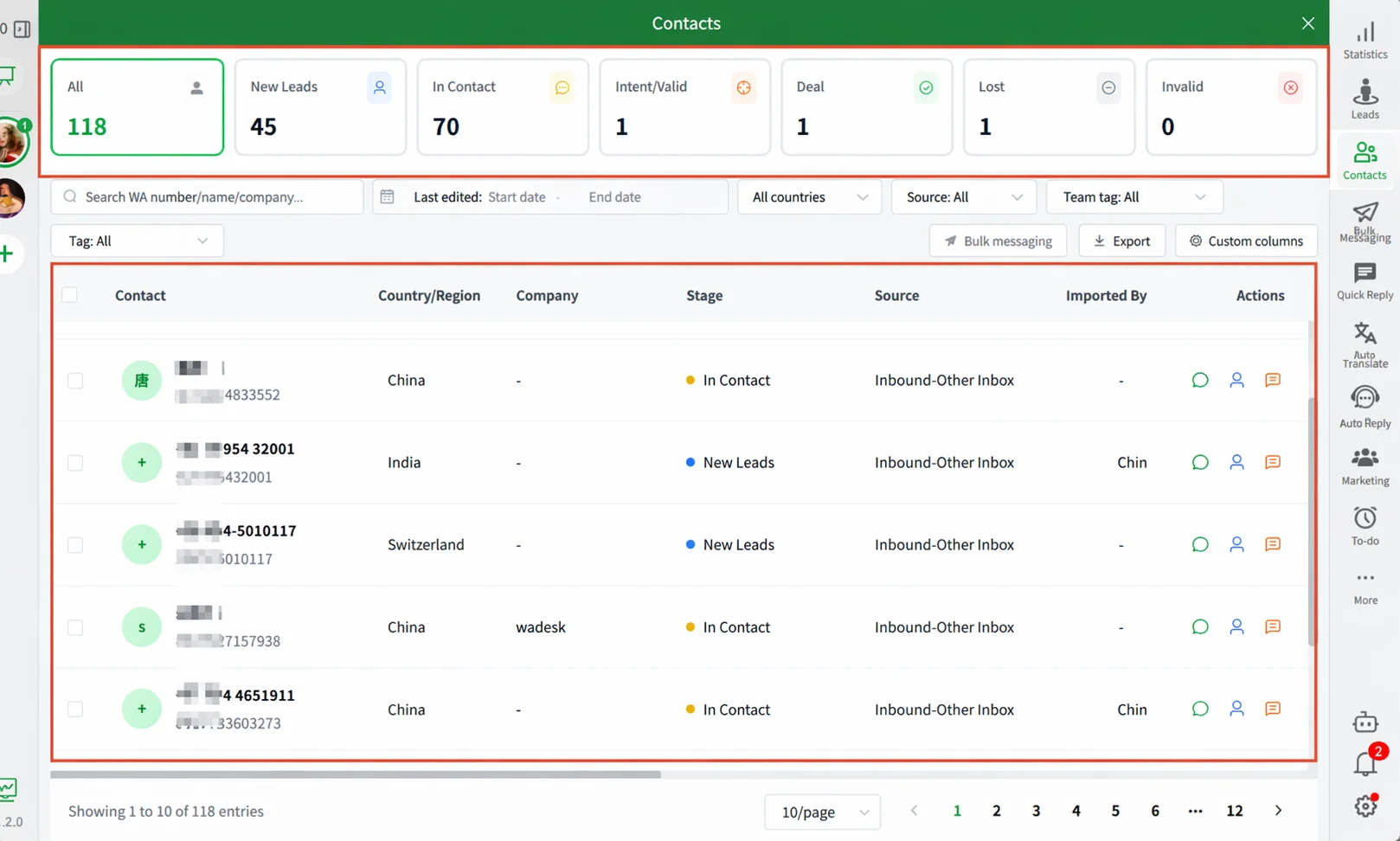
WADesk batch group join interface — join multiple target groups in one go with zero repetitive work.
Step 3: Export Group Member Contacts
After joining, you can see all members — these are your potential leads. But WhatsApp doesn't offer a native "export group contacts" feature, and manually adding each contact is painfully slow.
WADesk supports bulk group contact export. Extract member numbers from any group with one click, building a structured contact list ready for follow-up.
Step 4: Segment Contacts and Monitor Follow-ups
With contacts exported, the next step is segmentation — not every contact needs the same approach or timing.
WADesk's client tier segmentation lets you tag and group contacts by industry, interest level, and conversation stage. Then assign different segments to different team members and monitor all private conversations through the Team Inbox for unified visibility.
For detailed guidance on segmentation and team collaboration, see Client Tier Segmentation for WhatsApp, Profiling WhatsApp Contacts with Tags, and WADesk Team Inbox: Unified Multi-Account Chat Monitoring.
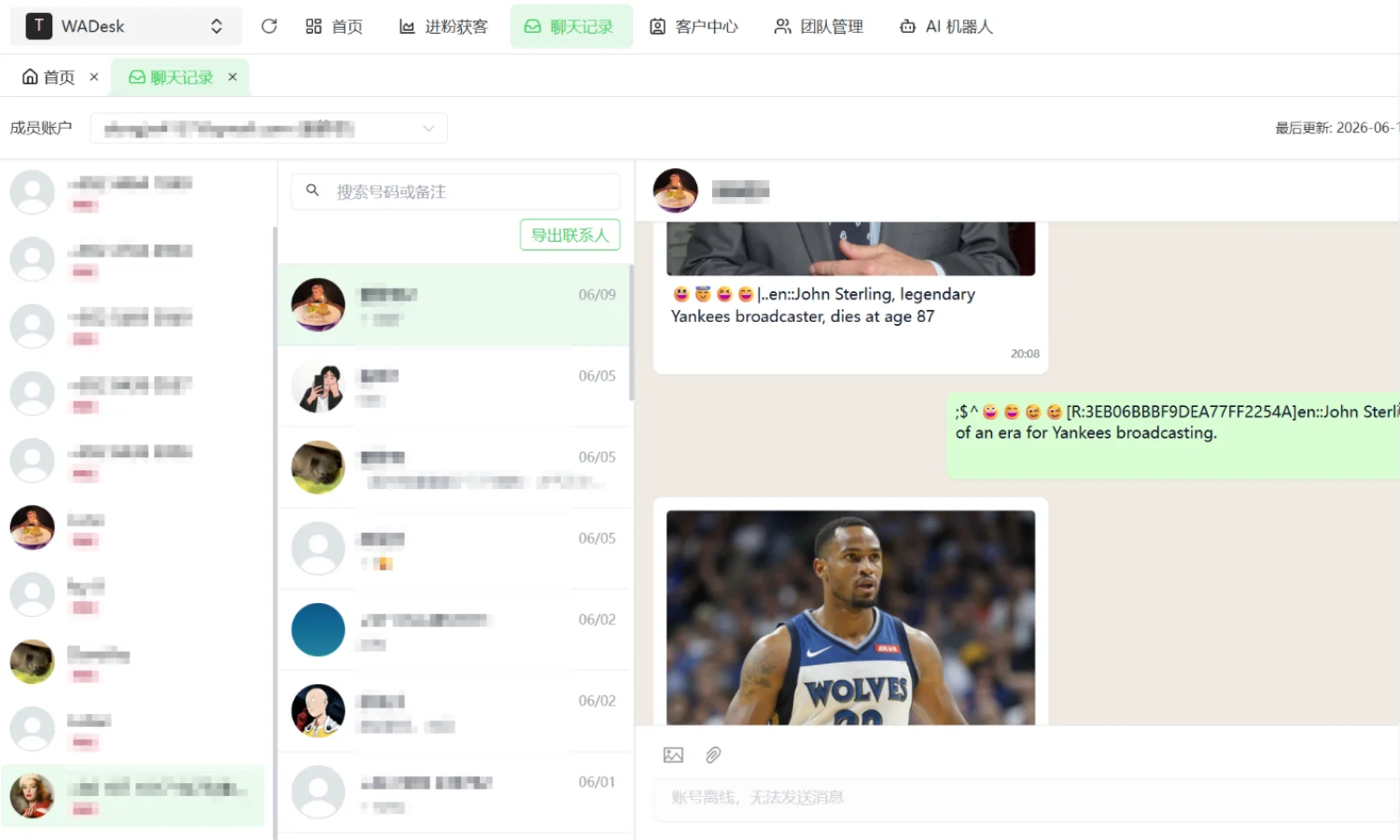
WADesk Team Inbox — monitor all private chats across accounts in one unified view, zero switching, zero delay.
How to Combine Both Paths for Maximum Impact
You don't have to choose just one. In practice, many teams combine them:
- Use Path 1 (Google Maps) for cold acquisition at scale — gather initial leads, broadcast outreach, let AI filter responses for promising ones.
- Use Path 2 (industry groups) for deep penetration — establish brand presence where your customers already discuss their needs, export contacts, and follow up with precision.
With WADesk's QR Code Lead Links and Link Split Tracking, you can attribute every lead to its source channel and focus your budget on the highest-ROI path.
Summary: From Chat App to Revenue Channel
Remember Jack from the beginning? After running both paths with WADesk, his team's daily outreach efficiency roughly tripled (estimates based on operational observation). He went from "manually sending 80 messages a day" to "automatically reaching 300 prospects daily, with AI filtering and the team only following up on the hottest leads."
For most people, WhatsApp is just a messaging app. But when you connect it with Google Maps prospecting, bulk messaging, AI auto-reply, group mining, contact export, and team inbox monitoring, it becomes a revenue pipeline — from finding prospects to closing deals.
Start with one path. Get it working. Then add the other. The key is to start.