In today’s global digital environment, the ability to image translate quickly has become essential. Whether you need to image translate product labels, manga pages, or screenshots from international clients, or simply image translate social media visuals you can’t read, the need to translate text in images appears everywhere. Browsing foreign websites, checking packaging photos, reading Japanese or Korean comics, or viewing overseas ads—all of these require fast and accurate image translation. Instead of typing everything manually, using a reliable image translation tool can save time, reduce frustration, and greatly improve productivity.
Traditional Ways to Translate Text in Images
Before modern AI tools became available, people typically used the following methods to translate text in images:
Typing out the text manually
You rewrite the text from the image, then paste it into a translation tool. This is inefficient, prone to typos, and extremely time-consuming.
Screenshot → OCR → Translation (multiple steps)
You take a screenshot, run OCR software, copy the extracted text, and then paste it into a translator. Too many steps, low workflow efficiency.
Built-in mobile camera translation
While convenient, it often struggles with blurry images, comic speech bubbles, stylized fonts, or professional documents.
All these traditional methods share the same problems:
Too many steps, low accuracy, and not suitable for users who frequently need image translation.
The Best Image Translation Tool: ImageTranslator
If you want a simple, fast, and accurate way to translate text in images, one of the best tools you can use is:
A fully web-based image translation tool—no installation required. Just upload and translate.
It delivers true one-click image translation, making the whole process effortless.
Why ImageTranslator Is Superior: Key Features & Advantages
One-Click Image Translation (Supports Multiple File Types)
With the AI-powered image translator, you can achieve smooth, seamless image translation in seconds.
Just upload your:
- photos
- manga pages
- comic strips
- posters
- product screenshots
- scanned documents
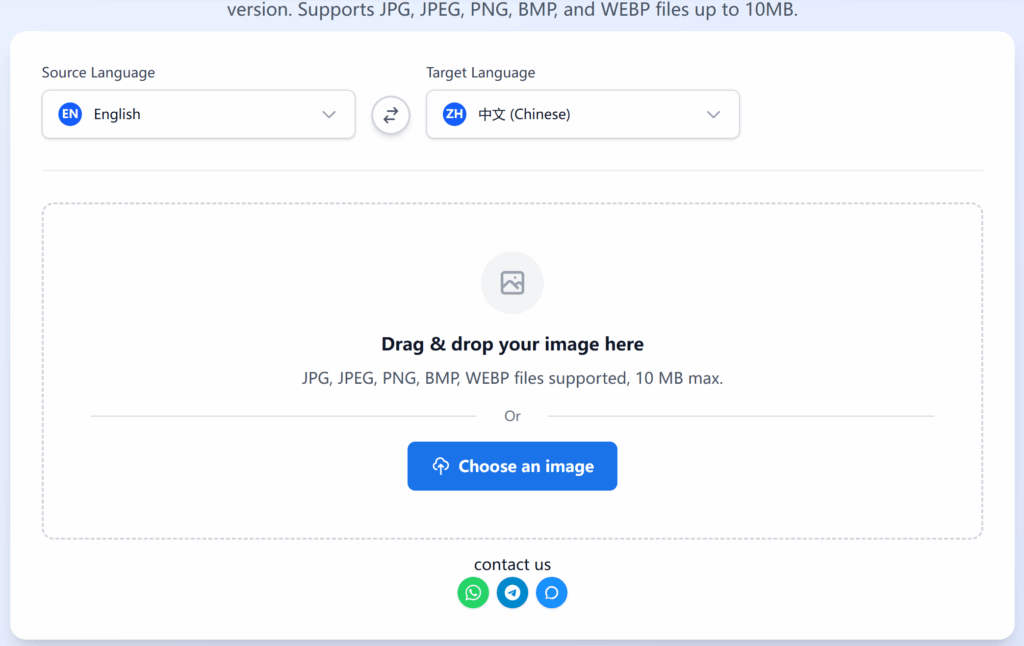
Choose the source and target languages, and instantly download the fully translated version.
Supported formats: JPG, JPEG, PNG, BMP, WEBP
Max file size: 10MB
Perfect for cross-border business, e-commerce, manga reading, academic work, or browsing overseas content.
Translate into Any Language You Need
Whether you're translating English, Japanese, Korean, Spanish, German, Portuguese, or any other major language, ImageTranslator supports full multilingual translation.
You can choose any translation direction—ideal for global users.
Professional Layout-Preserving Image Translation
This is one of ImageTranslator’s strongest advantages.
It doesn’t just translate text in images—
it perfectly preserves the original layout and design, including:
- manga speech bubbles
- poster typography
- diagram annotations
- scanned documents with structured format
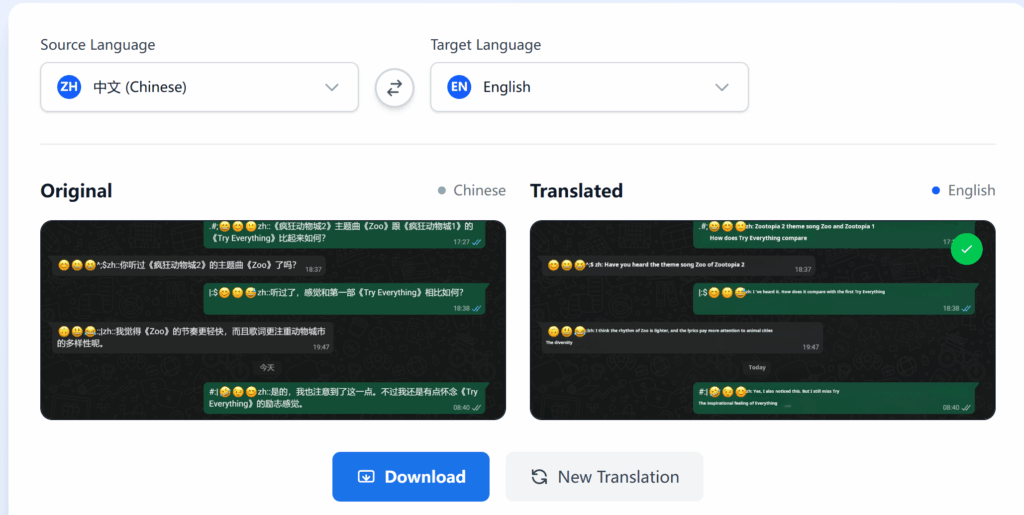
The translated text is “seamlessly overlaid” onto the original visuals, making the final image look clean, natural, and professionally typeset.
This precision is something traditional OCR tools simply cannot match.
Download the Translated Image or Extract Text
After the image translation is complete, you can:
- download the translated image, or
- copy the extracted translated text for further editing
This flexibility makes it useful across multiple workflows.
Completely Free & Extremely Easy to Use
No account required.
No software installation.
No complicated steps.
Just open the website → upload → translate → download.
A complete image translation takes around 10 seconds, improving efficiency by 3–5× compared with traditional methods.
ImageTranslator: A Real Productivity Booster
Whether you're in international trade, cross-border e-commerce, a manga lover, a student, a researcher, or someone who frequently browses foreign content, a good image translation tool can save you hours of repetitive work.
ImageTranslator stands out for its:
- One-stop image translation
- Full multilingual support
- Layout-preserving translation
- Instant web access
- Free usage with no barriers
If you often need to translate text in images—whether for work, study, content creation, or chatting with clients through tools like WADesk—this tool will make your workflow significantly more efficient.
It’s fast, accurate, and designed for anyone who needs high-quality image translation anytime, anywhere.
【WhatsApp】:https://wa.me/8618911020084
【Telegram】:https://t.me/WADesk_Will
Want to learn more about foreign trade?
WhatsApp unblocking/Unofficial/Unable to receive verification code?
What are WADesk's anti-blocking mechanisms and key features?
Scan the QR code to join the group, let's exchange ideas and make money together!