

Why Your Inquiries Keep Dying Mid-Follow-Up
The most common follow-up problem in export teams isn't "don't want to follow up" — it's no systematic rhythm:
- Memory-based follow-up: A rep manages 50 clients. Who needs follow-up today? Who next week? All in their head. Two busy days and it's forgotten.
- Random messaging: Every follow-up message is written from scratch — wastes time and quality is inconsistent.
- High-intent clients buried: New inquiries and existing clients are mixed together with no segmentation. The ones that need priority get ignored.
- Managers can't see the process: They can only ask "did we close this month?" — not "how many follow-ups happened, what's the reply rate, where's the bottleneck?"
Per HubSpot's public sales research, most deals require 5+ follow-up touchpoints, but many sales reps give up after the second unanswered attempt — meaning a large number of high-intent clients are lost during the "silent period."
The Four-Stage Follow-Up SOP
Break client follow-up into four stages, each with its own rhythm and messaging strategy:
| Stage | Client Status | Follow-Up Rhythm | Message Direction | WADesk Implementation |
|---|---|---|---|---|
| New Inquiry | Just sent a price request | First response within 15 min | Confirm need + quote/catalog | AI auto-reply fallback + task reminder assignment |
| Post-Quote | Quote sent, no reply | 24h / 72h / 7 days — three touches | Supplement info + confirm receipt + gentle nudge | Scheduled task reminders + quick reply templates |
| Silent Client | No reply for 14+ days | Every 14 days | Value touchpoint (case study / industry news) | Tag filter + batch outreach script |
| Closed-Won | Order placed | 30-day cycle | Reorder reminder / referral request | Client tier tags + dashboard tracking |
New Inquiry Stage: Respond Within 15 Minutes
This is the golden window of conversion. A client sends inquiries to 3-5 suppliers simultaneously — whoever responds first gains an edge. Use WADesk's AI auto-reply as a safety net — even if the rep is in a meeting or asleep, the client gets a "Received your inquiry, preparing your quote" confirmation within seconds.
Simultaneously, the system auto-creates a follow-up task reminding the rep to complete a human response within 15 minutes.
Post-Quote Stage: Three Rhythm-Based Reminders
After sending a quote, client silence is normal — it doesn't mean disinterest. They may be comparing prices or waiting for internal approval. Follow the 24h / 72h / 7-day rhythm with three touches:
- 24 hours: "Hi, did you receive the quote I sent yesterday? Happy to answer any questions."
- 72 hours: Supplement with something useful (a similar client case study, a spec comparison table).
- 7 days: One gentle nudge — "If you're still evaluating, I can arrange a sample shipment."
Use WADesk's script library and quick replies to pre-set these three messages — reps can invoke them with one click instead of rewriting every time.
Silent Client Stage: Value Touchpoint Every 14 Days
For clients who haven't replied in two weeks, don't keep asking "Have you decided yet?" Instead, send content the client finds valuable:
- Industry market updates
- Success stories from similar clients
- Product upgrade or new spec announcements
Use client tier tags to filter the "silent client" segment and batch-send customized content — one round every 14 days, sustained for 3 months.
Closed-Won Stage: 30-Day Reorder Cycle
Closed-won clients are the most easily overlooked goldmine. Set 30-day reorder reminders:
- Confirm delivery experience
- Ask about new requirements
- Request referrals ("If you know peers who are also sourcing, I'd appreciate an introduction")
Track reorder rates and referral conversion rates with the sales analytics dashboard — let data speak.
How WADesk Turns SOP into System Actions
The biggest challenge with manual execution of these four stages is "forgetting." WADesk codifies each stage's core actions into the system:
- Tag-based segmentation: New inquiry / Quoting / Silent / Closed — auto or manual tagging, with a dashboard showing how many clients are at each stage.
- Task reminders: Auto-create follow-up tasks per SOP rhythm — pop-up reminders on schedule, no memory required.
- Quick reply scripts: 3-5 pre-set templates per stage — one-click invocation, ensuring message quality.
- Dashboard tracking: Managers see each rep's follow-up count, reply rate, and conversion rate — process is traceable, problems are locatable.
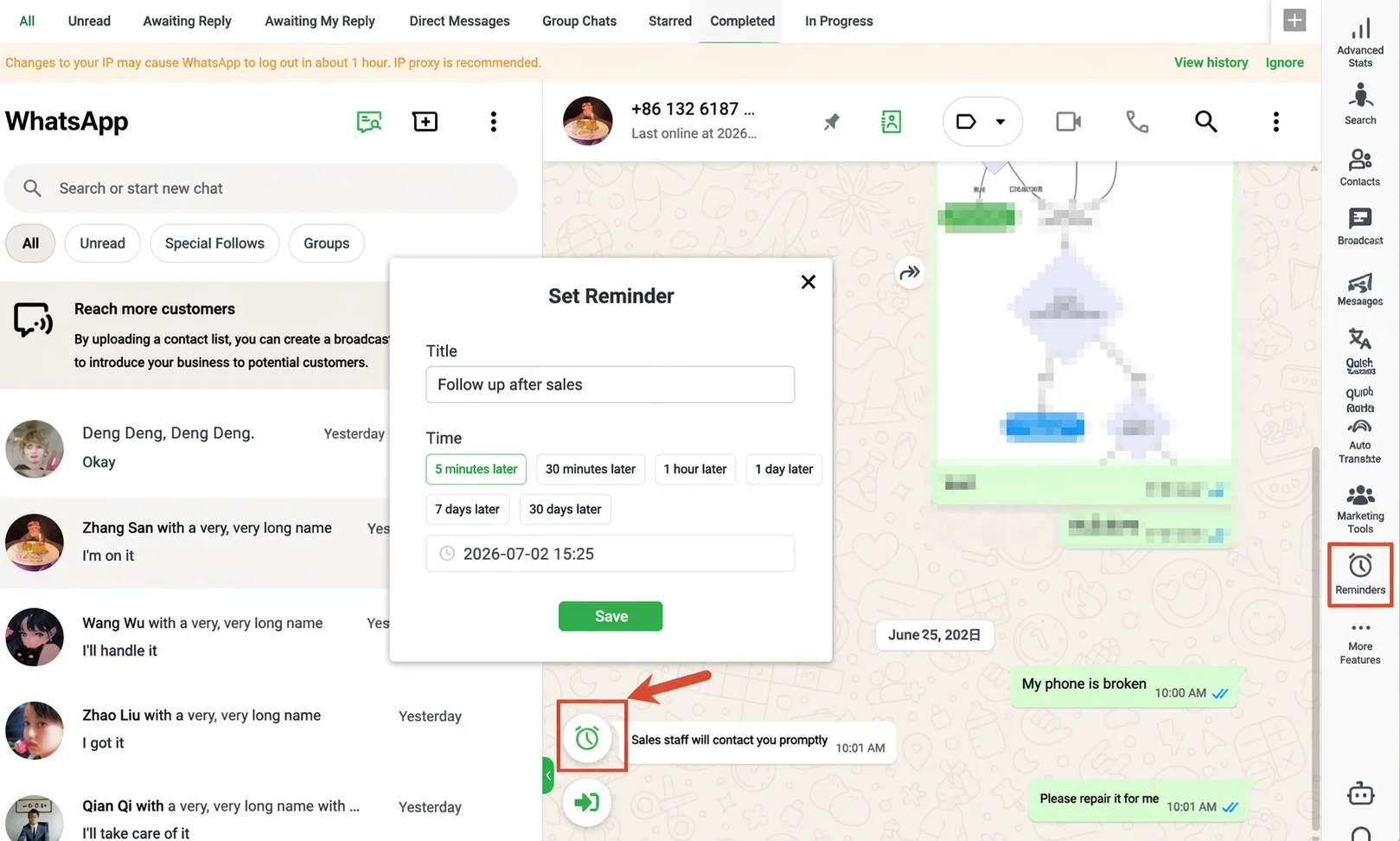 WADesk task reminders: auto-create follow-up tasks per SOP rhythm, with pop-up reminders on schedule — no memory required.
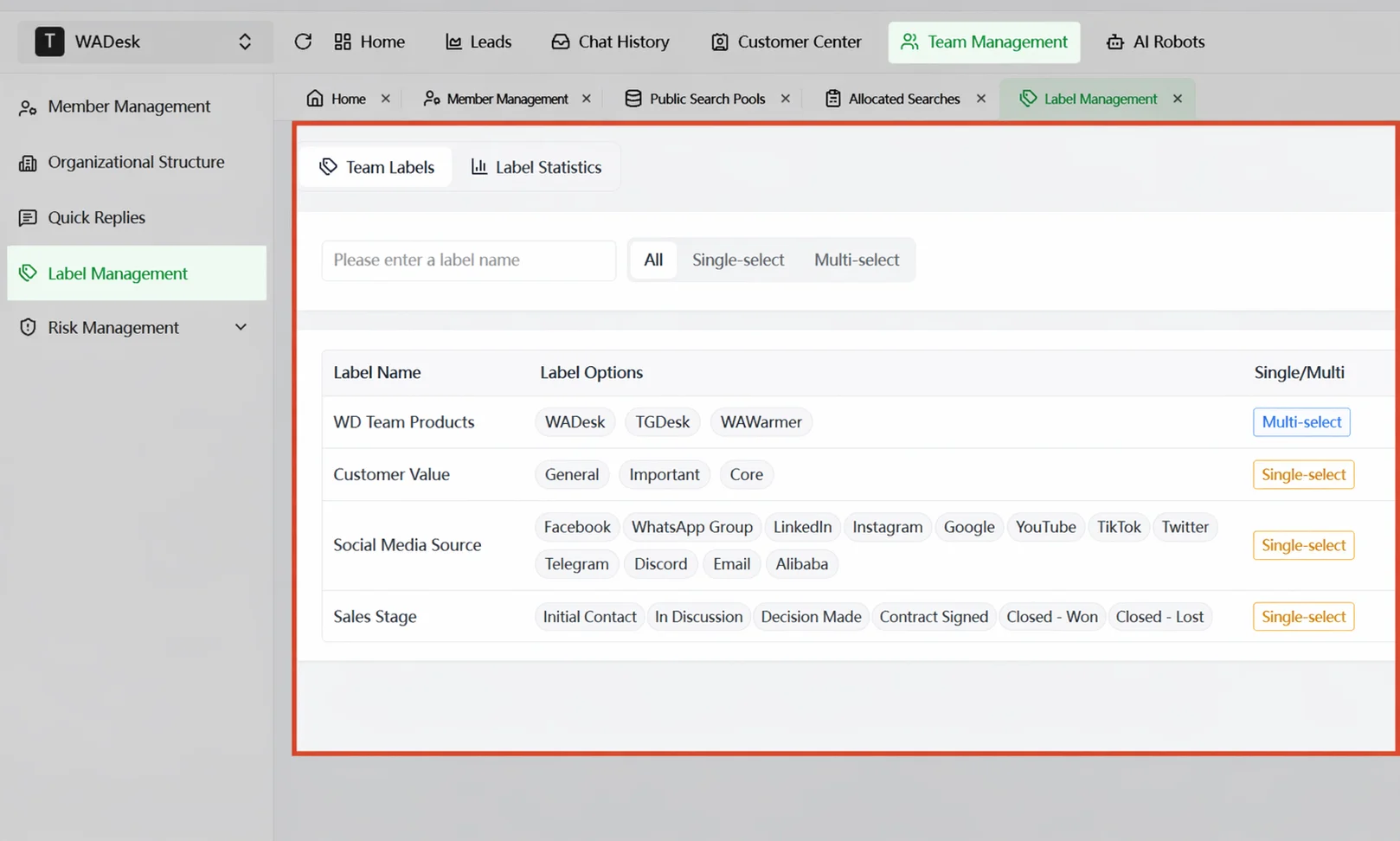 Tag-based client segmentation: New inquiry / Quoting / Silent / Closed — each stage visible at a glance.
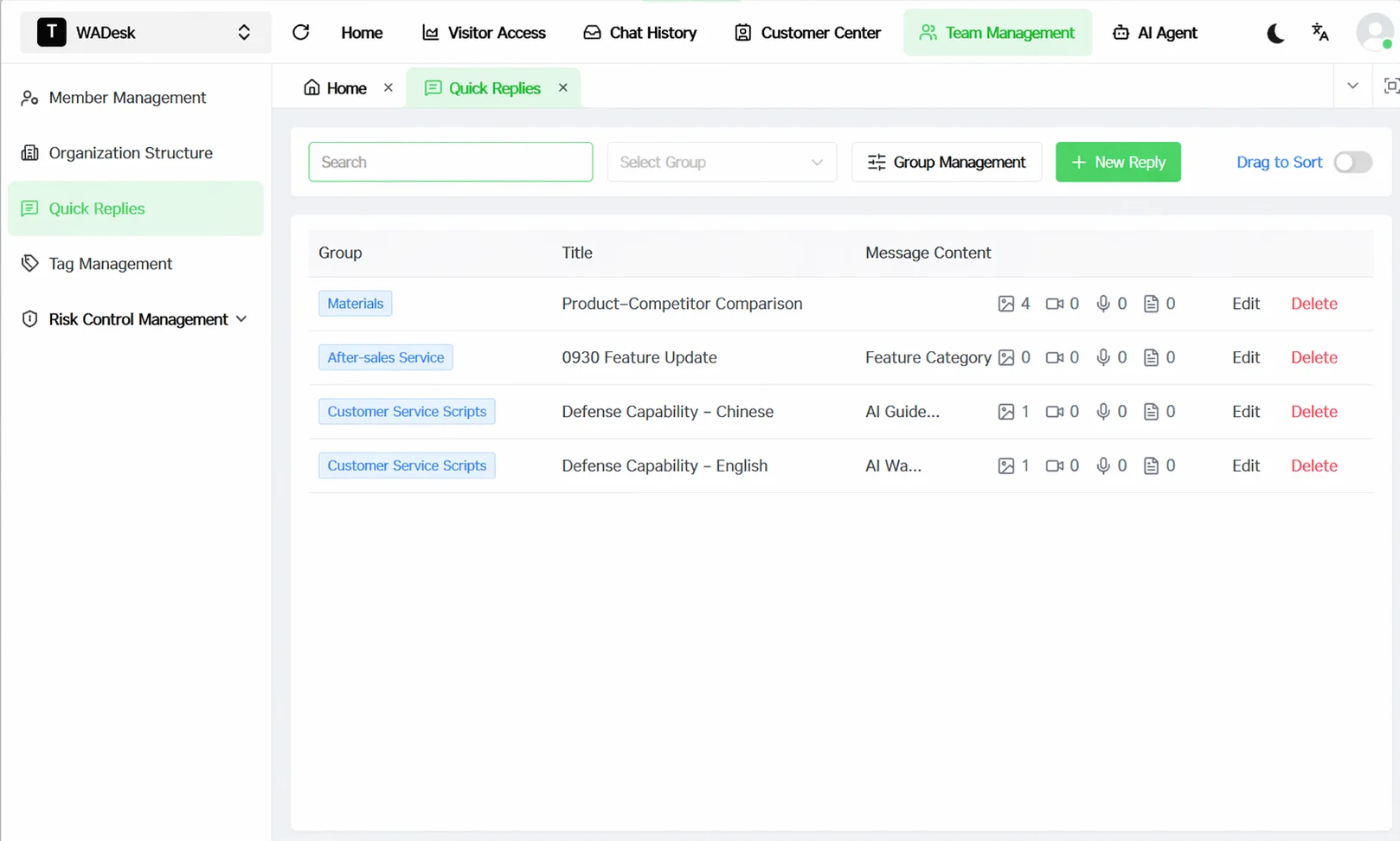 Team script library: pre-set templates per stage, one-click invocation, ensuring message quality.
Linked with lead auto-assignment: new inquiries are auto-assigned to the right rep, with a first-response task created simultaneously — from assignment to follow-up, one seamless pipeline.
High-intent inquiries shouldn't go cold because someone "forgot to follow up"
Use WADesk task reminders + tags + script library to turn follow-up into a repeatable team process
A Real Team Transformation
Based on internal observations, a 5-person export team before adopting WADesk's follow-up SOP:
- Each rep managed 40-60 active clients, relying on Excel + memory for follow-up.
- Approximately 30% (estimated) of inquiries went silent within 7 days due to no follow-up.
- Managers could only ask about outcomes, not processes.
After introducing SOP + task reminders:
- Each client's follow-up rhythm is now system-driven, no longer dependent on individual memory.
- Silent client activation rate improved (illustrative data, actual results vary by team).
- Managers see each rep's daily follow-up count and reply rate via the dashboard — issues are spotted early.
FAQ
Will auto-reminders bother my clients?
Auto-reminders are internal task reminders for sales reps, not automatic messages sent to clients. When to follow up and what to say is still the rep's judgment. The system just reminds you "don't forget" — it won't send messages on your behalf.
How do I handle clients in different time zones?
WADesk supports setting reminder times based on the client's time zone. For example, Middle East clients' working hours fall in Beijing afternoon — the system can be set to remind follow-up at 2 PM instead of 8 AM.
Won't silent client outreach feel like spam?
The key is whether the content you send has value. If every message is "Have you decided yet?" — that's spam. If you send industry news, case studies, or new spec announcements the client might care about — that's not bothering, that's professional service.
We're already using Excel for client management — is migration costly?
WADesk supports importing existing client lists, and tags and tiers can be set in bulk. The biggest change after migration is going from "Excel for client info + memory for follow-up rhythm" to "system manages client info + system pushes follow-up tasks."
Turn follow-up from memory-based to system-driven
Try WADesk and see how many inquiries your team loses because someone "forgot to follow up"
Disclaimer: HubSpot sales research data cited in this article is from public reports — specific figures should be verified against the original source. WADesk's task reminder and quick reply features are implemented via the desktop client. Please comply with local data protection regulations and WhatsApp platform policies when using these features.