

Why WhatsApp's Native Search Falls Short
WhatsApp's built-in search is fine for personal use (official search guide), but it has three inherent limitations for teams:
- Single-account scope: Search only covers the currently logged-in account. Switching accounts means re-logging-in and re-searching.
- Phone-dependent: Search happens inside the mobile app. The desktop web version's search is weak, and there's no unified entry point for desktop-based retrieval.
- No cross-account aggregation: When Client A's quote lives in Rep Zhang's account and the contract confirmation lives in Rep Li's account, no single interface can piece them together.
For individual users, that's fine. But for export teams, client records are company assets — they shouldn't be locked inside one person's phone.
The Real Pain for Multi-Account Teams
Nearly every export team we've spoken with has hit the same wall:
A client messages: "You quoted 4.2 for that batch last year — can you still do it?" The rep scrolls through two accounts' chat histories, can't find the original quote screenshot, replies from memory, and quotes the wrong price. Trust gone.
Other common scenarios:
- Shipping tracking numbers scattered across group chats — when a client asks, you have to dig through every group one by one.
- Sample confirmation records from six months ago — when the employee leaves, the new rep has no way to find them.
- Finance needs chat proof for a specific payment — the only option is asking sales reps to manually screenshot and stitch together evidence.
The root cause isn't "bad memory." It's that messages are分散 across multiple accounts with no unified search entry point.
How WADesk Global Message Search Works
After logging multiple WhatsApp accounts into the WADesk desktop client, all chat histories are synced into a local index (message originals remain stored per platform rules within their respective accounts — the index only creates pointers to the originals). When searching:
- Global keyword: Type a client name, product model, order number, or quote figure — the system scans all connected accounts.
- Multi-dimensional filters: Narrow results by account, contact, group chat, or date range.
- File type filter: Directly target PDF, Excel, or image messages — skip text-only noise.
- One-click context jump: Click any result to open the original chat window with full surrounding context.
According to internal observations, after a team connects 10 accounts, the average time to locate a historical message drops from "scrolling for minutes" to "searching in seconds."
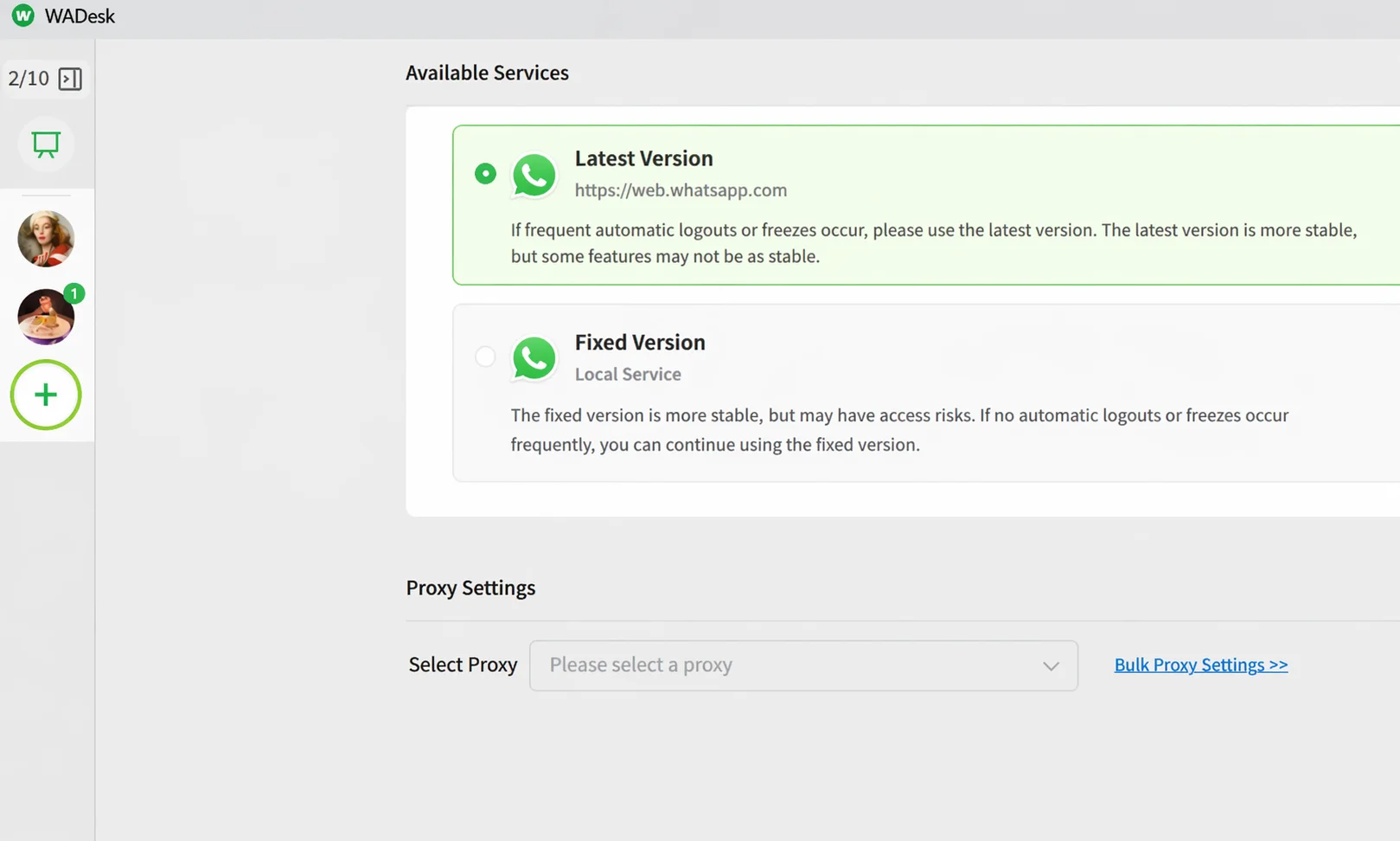 The WADesk desktop client logs into and manages multiple WhatsApp accounts at once — all chat histories enter a unified search scope.
Four High-Frequency Use Cases
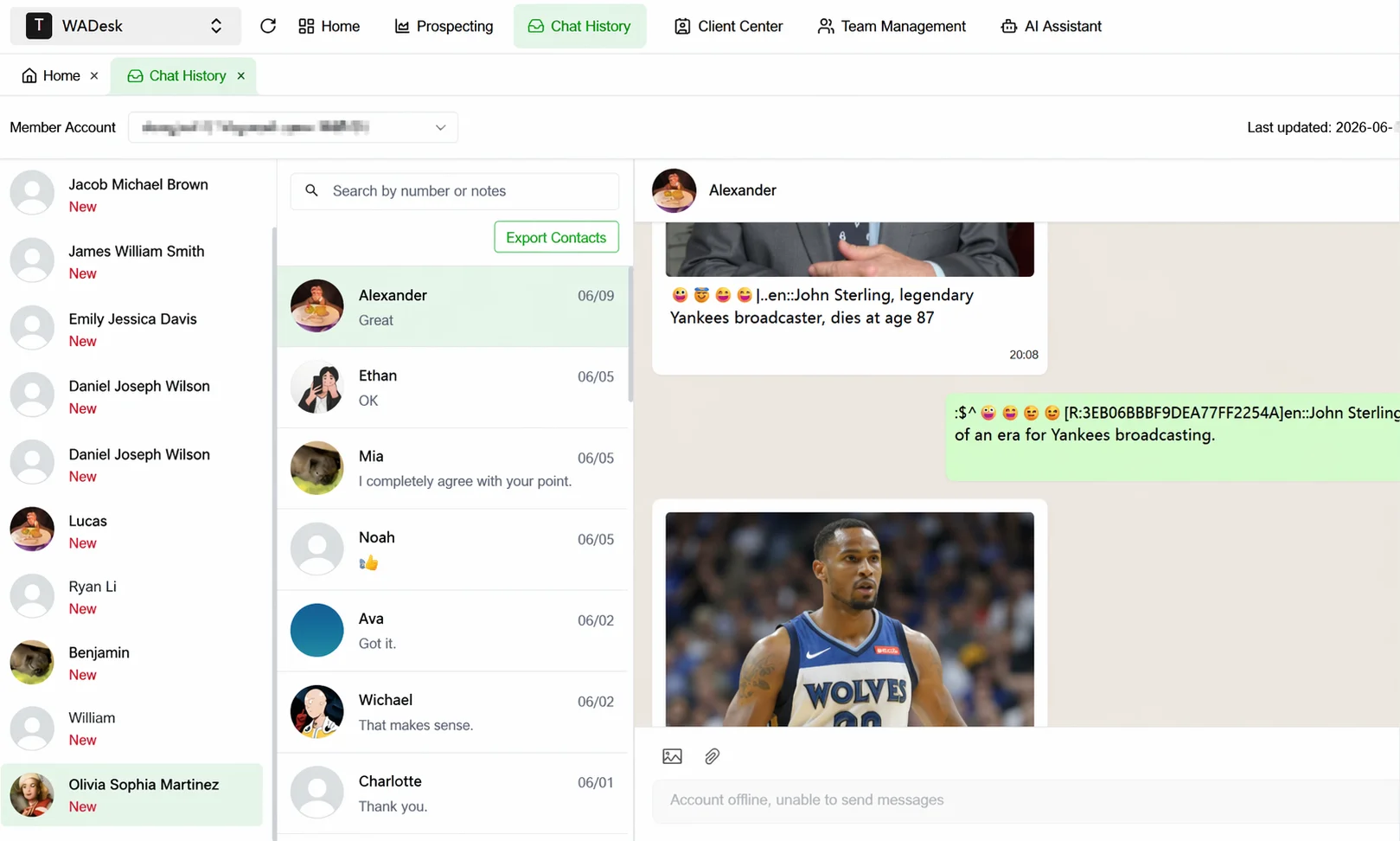 Locate historical messages by keyword, contact, or date range in chat records — with one-click jump back to full context.
Use Case 1: Quote Traceability
A client questions a price change. The rep searches the product model, instantly pulls up the pricing conversation from six months ago, sends the screenshot back — trust reinforced.
Use Case 2: Contract & Spec Confirmation
Large clients often split across multiple accounts for different product lines. Search a contract keyword and piece together the full confirmation chain across accounts — no more "I thought they meant the other model."
Use Case 3: Logistics Dispute Evidence
Tracking numbers and delivery photos are scattered across group chats and private chats. Search by tracking number to instantly aggregate all related messages — handle after-sales with full evidence in hand.
Use Case 4: Handover When Someone Leaves
When a rep departs, the successor doesn't need to ask the client "where did we leave off?" — just search keywords to inherit the full historical context. Combined with customer asset protection, records always stay with the company.
Closing the Loop with Backup, Monitoring, and Collaboration
Global search isn't an isolated feature — it works in tandem with other WADesk capabilities:
- Linked with chat backup & export: Search results can be exported as evidence or training material.
- Linked with employee chat monitoring: Managers can retrieve sensitive-keyword conversations within authorized scope for compliance audits.
- Linked with team inbox collaboration: Found conversations can be directly forwarded to the right colleague for follow-up.
Every word a client has said should be retrievable. WADesk global message search ensures your team's memory never goes missing.
Get Started with WADesk →WADesk Search vs WhatsApp Native Search
| Dimension | WhatsApp Native Search | WADesk Global Search |
|---|---|---|
| Search scope | Single account | All connected team accounts |
| Platform | Primarily mobile | Unified desktop client entry |
| Cross-account aggregation | Not supported | Supported |
| File type filtering | Basic | Precise PDF/Excel/image filters |
| Result export | Manual screenshots | One-click conversation export |
| Team collaboration | None | Forwardable, auditable |
FAQ
Does WADesk search read other chats from my phone?
No. The search scope is limited to WhatsApp accounts logged in and synced through the WADesk desktop client. It does not access any contacts or personal chats not connected to the platform.
Can deleted messages still be found?
If a message was synced into the index before deletion, the corresponding snippet remains retrievable in historical records. Unsynchronized deleted messages cannot be recovered — this aligns with platform data rules.
Can I search by text inside images?
The current version primarily indexes message text, file names, and links. Image content itself requires file-type filtering to locate — multimedia retrieval capabilities will be enhanced in future versions.
Are search results visible to other sales reps?
The permission system aligns with the team backend. Regular members can only search accounts they have permission to access. Managers can search within authorized scope as needed.
Make every client conversation instantly retrievable
Try WADesk and see how much time your team wastes scrolling through chats every day
Disclaimer: WhatsApp native search capabilities described here are based on publicly available feature documentation, subject to the current WhatsApp version. WADesk's retrieval capability relies on client-side message synchronization — the client must remain running to maintain index completeness. Access to and use of chat records should comply with local data protection regulations and platform usage policies.