

The Yiwu Exporter's WhatsApp Journey
Mr. Zhang runs a Christmas decoration export business in Yiwu. Last year, he wanted to send holiday greetings to 3,000 contacts before Christmas.
Attempt 1: Have his staff copy-paste messages one by one on WhatsApp Web. After 3 days, 200 messages sent. Way too slow.
Attempt 2: Found a "WhatsApp bulk sender" tool and blasted all 3,000 messages at once. Within 3 days, 4 out of his 5 WhatsApp accounts were banned. When clients replied, he couldn't respond. He watched the Christmas rush slip away to competitors.
Attempt 3: Created an Excel schedule — "100 messages per day" — and assigned staff to follow it manually. Gave up after 1 week. Staff were annoyed, compliance was spotty, and the schedule fell apart.
This isn't an execution problem. It's a tool-and-strategy problem.
3 Barriers to WhatsApp Bulk Outreach
Barrier 1: Send and Get Banned
WhatsApp closely monitors bulk messaging behavior. Send too many, too fast, or with overly templated content — and you trigger their anti-spam mechanisms.
Many teams respond by simply not doing bulk outreach at all. This is overcorrecting.
Barrier 2: Send and Nobody Reads
Even without bans, open rates for bulk messages are abysmal. Clients receive dozens of promotional messages daily. "Hi, we're Company X" gets buried instantly.
Without read tracking, you can't even tell if anyone saw your message.
Barrier 3: Nobody Can Execute Consistently
Creating schedules, batching sends, logging delivery status — technically doable, but in practice, sales reps can't sustain it. Week 1: fresh. Week 2: slacking. Week 3: abandoned.
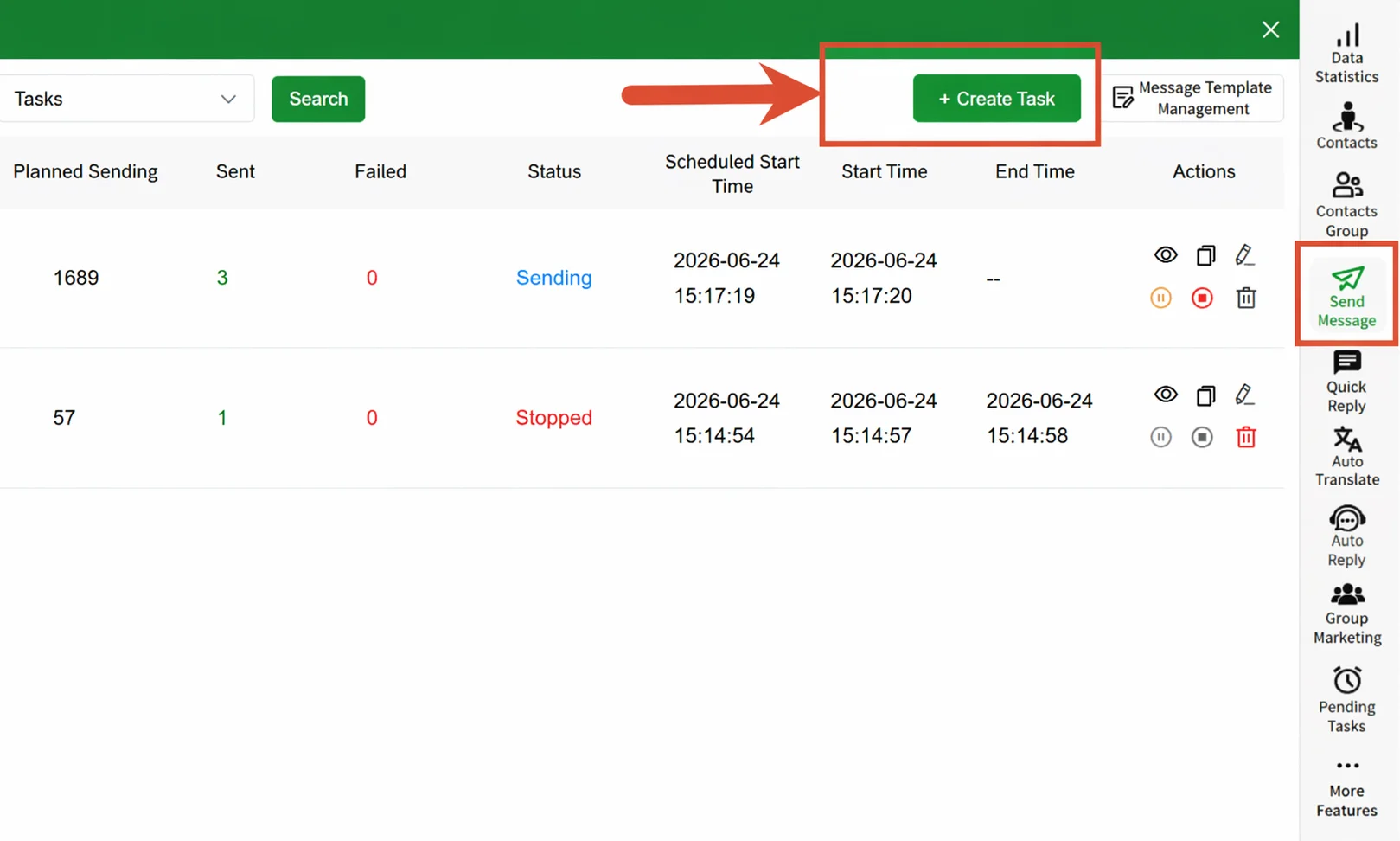 WADesk bulk message configuration: set content, pacing, and delivery conditions
How WADesk Schedule & Bulk Messaging Works
① Proper Sending Pace: Reach at Scale, Stay Safe
WADesk respects WhatsApp platform guidelines:
- Configurable batch size (recommended: 50-200 per batch)
- Adjustable send interval (e.g., one message per 30 seconds, one batch per 5 minutes)
- Multi-account rotation to distribute load
- Random delays to avoid pattern detection
② Personalization Variables: Every Message Feels Hand-Typed
Insert dynamic variables into your message template:
Hi {client_name},

This is {rep_name} from {company_name}.

Last time we discussed {topic}, and now we have new updates on {product}…

Best regards,
{rep_name}
Every message is uniquely personalized. Clients never feel like they're on a blast list.
③ Read Tracking: Know Who Opened and Who Didn't
WADesk provides delivery and read status for every message:
- Blue double-check = delivered
- Green double-check = read
- Manager dashboard shows read rates per campaign
- Unread clients auto-enrolled in "follow-up queue"
④ Scheduled Sending: Set It and Forget It
Configure your messages and delivery time — WADesk handles the rest:
- Different strategies for workdays vs holidays
- Timezone-aware delivery (EU clients at their morning, SE Asia in their afternoon)
- Auto-send holiday greetings and promotions
- Dormant client re-engagement campaigns
Still copy-pasting WhatsApp messages one by one? WADesk automates your bulk outreach — safe, personalized, and trackable.
Get Started with WADesk →Messaging Method Comparison
| Metric | Manual Copy-Paste | Generic Bulk Tools | WADesk Schedule |
|---|---|---|---|
| Daily reach | 20-50 | 3,000+ (then banned) | 500-1,500 |
| Ban risk | Low | Very high | Very low |
| Personalization | High (but slow) | None | Auto variables |
| Read rate | 40-60% | 10-30% | 85%+ |
| Consistency | Can't last a week | One-and-done | Sustained automation |
| Read tracking | None | None | Real-time |
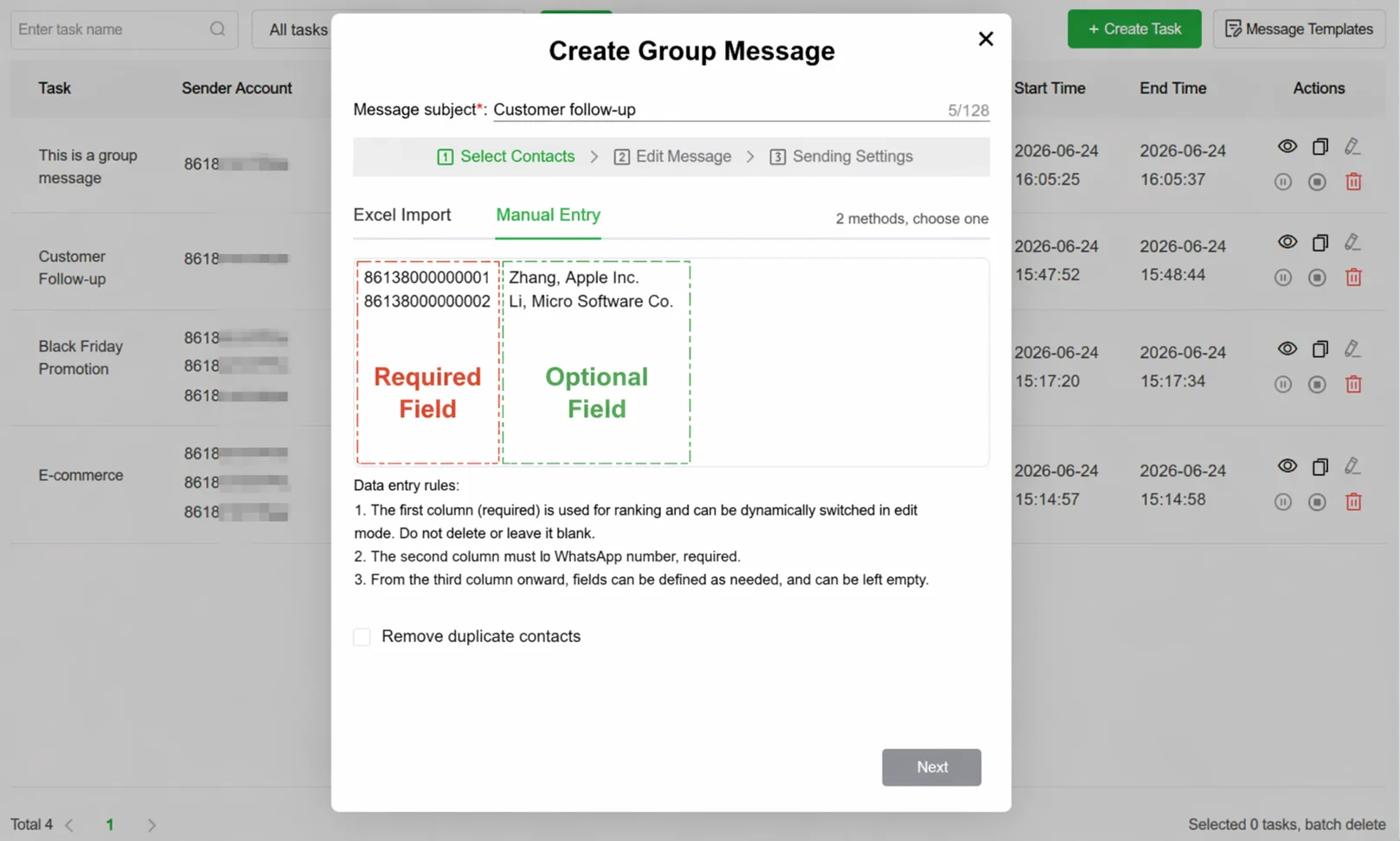 Campaign delivery report: see who read and who replied at a glance
Best Practices for WhatsApp Bulk Outreach
Holiday Greetings
Pace: Start 3 days before the holiday, send in batches Tone: Warm wishes only, no promotions Timing: Christmas, Chinese New Year, Black Friday, client's national day
New Product Launch
Pace: 3 waves (announce → details → follow-up), 2-3 days apart Tone: Focus on client value, not feature lists Key: Include product images — read rate jumps 60%
Dormant Client Re-engagement
Pace: Once a month, max 3 attempts with no reply → archive Tone: Lead with value (industry news, new data, limited-time info) Rule: Don't pitch immediately — provide value first
FAQ
How many messages can I send daily with WADesk?
With proper account rotation and interval settings, 500-1,500 messages per day across all accounts. Single account: 50-200/day recommended.
Will bulk messaging get my accounts banned?
Not when done with proper pacing. WADesk includes rate limiting, random delays, and multi-account rotation to stay within WhatsApp's guidelines.
Can I send different content to different clients?
Yes. Message templates support variable placeholders that auto-populate with client-specific data — name, conversation history, product preferences. Every message appears individually crafted.
Can scheduled messages be timezone-aware?
Yes. You can set delivery based on each client's timezone, ensuring messages arrive during business hours. Group-by-country support included.
How do I track responses after a bulk send?
WADesk provides a detailed campaign report including delivery count, read count, and reply count. Managers can one-click filter replied clients and enter follow-up flow.
Turn bulk messaging from a "ban risk" into a "growth engine"
Book a demo to see how WADesk automates your WhatsApp outreach
Disclaimer: Daily reach and read rate data are estimates based on typical usage patterns. Actual results vary by industry, client base, and content quality. WADesk complies with WhatsApp platform policies.