

500 WhatsApp Contacts and Not a Single One He Knew
Mr. Liu runs a electronics parts export business in Guangzhou. After 3 years of WhatsApp marketing, his contact list had 500+ people — some asked for quotes, some ordered samples, some placed big deals, some only chatted once or twice.
His team's follow-up strategy: scan the WhatsApp message list and pick whoever showed up last. Whoever they got to, they followed up with.
Here's what was broken:
80% of contacts had only 1-2 interactions. Clients who reached out once or twice were never followed up again. Not because the team didn't want to — they simply couldn't remember who was who.
Big clients and small inquiries got the same treatment. A client worth $50K annually and someone who asked one price question — identical treatment in the sales rep's contact list. Big clients felt no special attention and slowly churned.
When a rep left, their client knowledge walked out the door. Only the assigned rep knew anything about their clients. When they resigned, everything — stage, conversation history, deal status — was gone.
Where WhatsApp Contact Management Falls Short
① It's Just a Contact List
Native WhatsApp shows only names and numbers. No industry, company size, purchase stage, or value tags. 500 contacts = 500 names, nothing more.
② Follow-ups Are Pure Memory
Reps follow up based on "I remember this client." A person can realistically remember details for about 50 clients. 500? Impossible.
③ No Segmentation Means No Priority
All clients look equal in the contact list. But in reality, 20% of clients drive 80% of revenue. Without tags, reps waste time on low-value contacts while high-value ones get neglected.
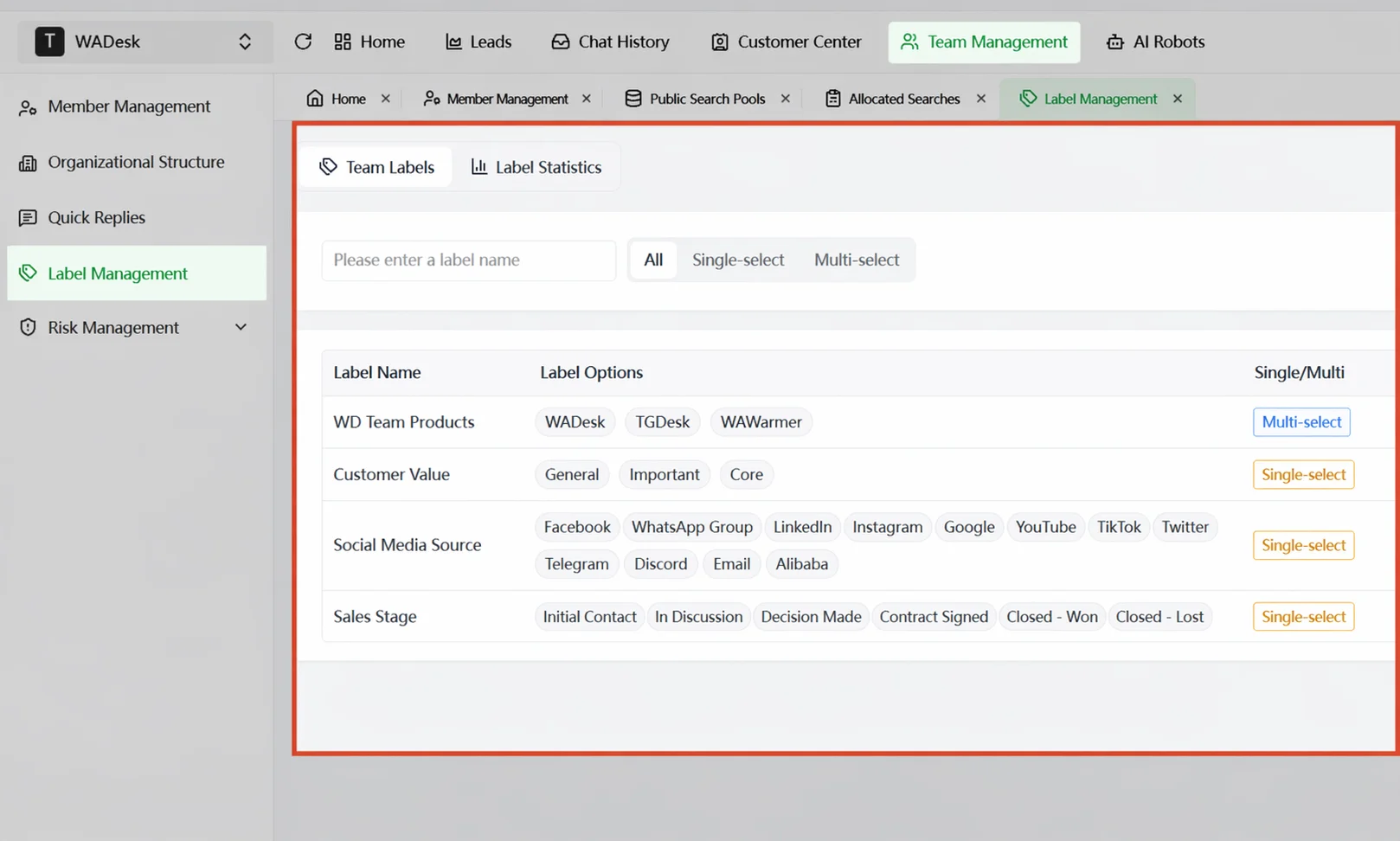 WADesk tag management interface: multi-dimensional labels at a glance
How WADesk Client Profiling Works
Step 1: Multi-Dimensional Tags
WADesk supports unlimited custom tags across any dimension:
Client Attributes:
- Industry (electronics / machinery / chemicals / textiles…)
- Company size (small / medium / large / enterprise)
- Region (Europe / North America / SE Asia / Middle East…)
Sales Stage:
- First contact / Quote given / Sample sent / Negotiating / Contract / Closed-won / Closed-lost
Value Tier:
- Core / Important / General / To-activate / Low-value
Behavioral Tags (auto-applied):
- Active last 7 days / Active last 30 days / 90-day dormant
- Quoted 3+ times / Returned items / Filed complaints
Step 2: RFM Segmentation — See Who Matters
Based on Recency, Frequency, and Monetary value, WADesk automatically segments clients:
| Tier | Profile | Strategy |
|---|---|---|
| Core | Recent activity, high spend | VIP service, priority product updates |
| Growing | Active, modest spend, trending up | Nurture, regular check-ins |
| At-Risk | Inactive, historically high value | Re-engagement campaign, exclusive offers |
| Dormant | Long inactive, low spend | Batch outreach or archive |
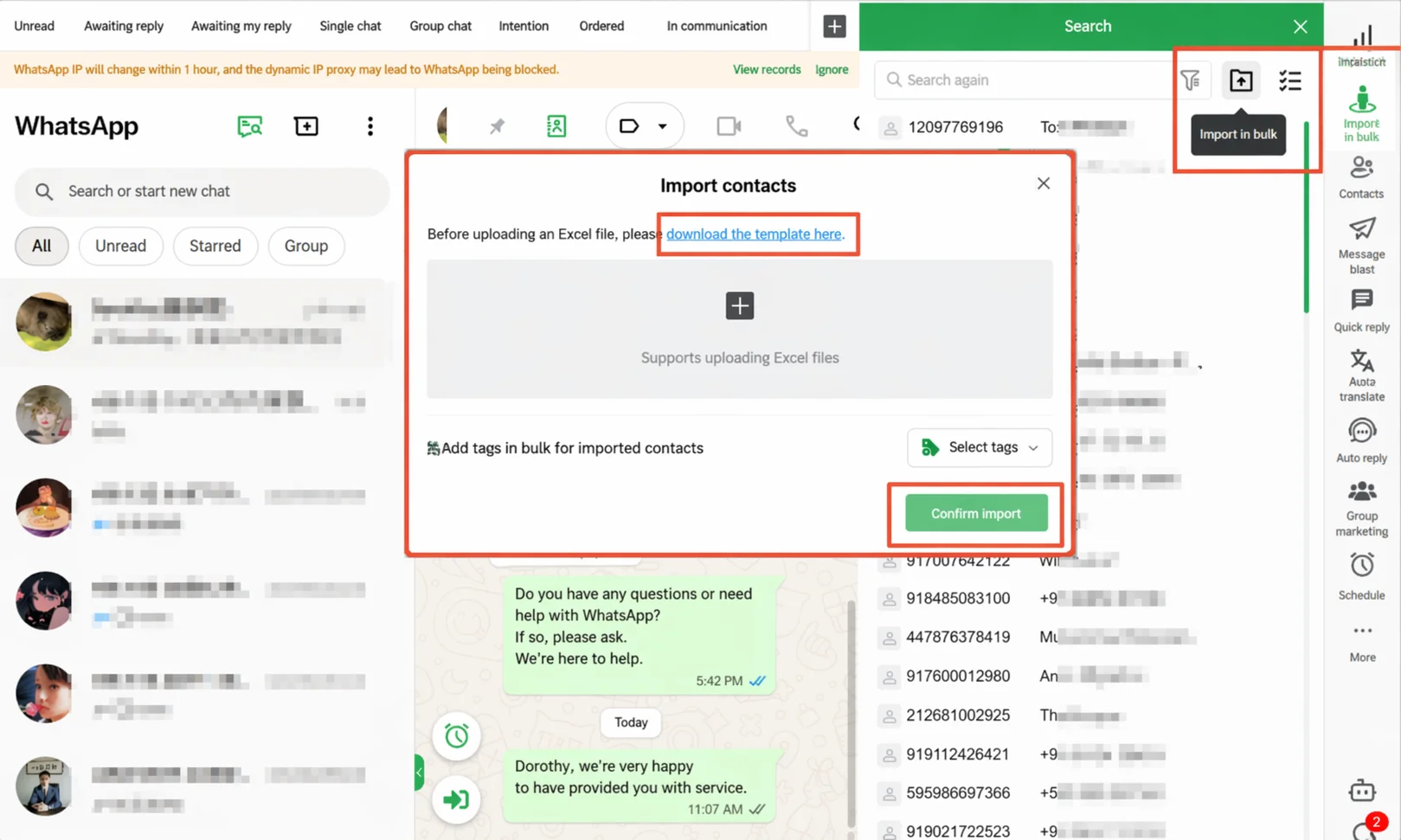 Client tag editor: add industry, stage, value tags for each client
Step 3: Client Profile Card
Every chat window shows a profile card at the top:
- Name, company, industry
- Applied tags (color-coded)
- Sales stage progress bar
- Last 3 interaction timestamps
- Client value score
A sales rep opens any chat and instantly knows: who this client is, what stage they're at, and exactly what to talk about.
Step 4: Tag-Driven Automation
Set auto-tagging rules triggered by client behavior:
- 3+ messages sent and all read → auto-tag "High Intent"
- 90+ days no interaction → auto-tag "Dormant," move out of daily pool
- 2+ quotes given but no deal → auto-tag "Hesitating," trigger follow-up sequence
Still sorting your WhatsApp contacts by name? WADesk profiles make every client's value instantly visible.
Get Started with WADesk →Before vs After: Tagging System Impact
Before:
- 500+ contacts, flat list
- Follow-up order = WhatsApp message list recency
- Core client churn rate: 30%
- New rep ramp-up: 3 weeks
After (3-step setup):
- Unified tagging (industry + stage + value): 1 day
- Tag-based follow-up: Core clients daily, Growing clients weekly
- Auto-tag rules running: new clients categorized, dormant auto-archived
Results:
- Core client churn: 30% → 5%
- Sales efficiency: +40% (no more hunting through contacts)
- New rep ramp-up: 3 weeks → 3 days
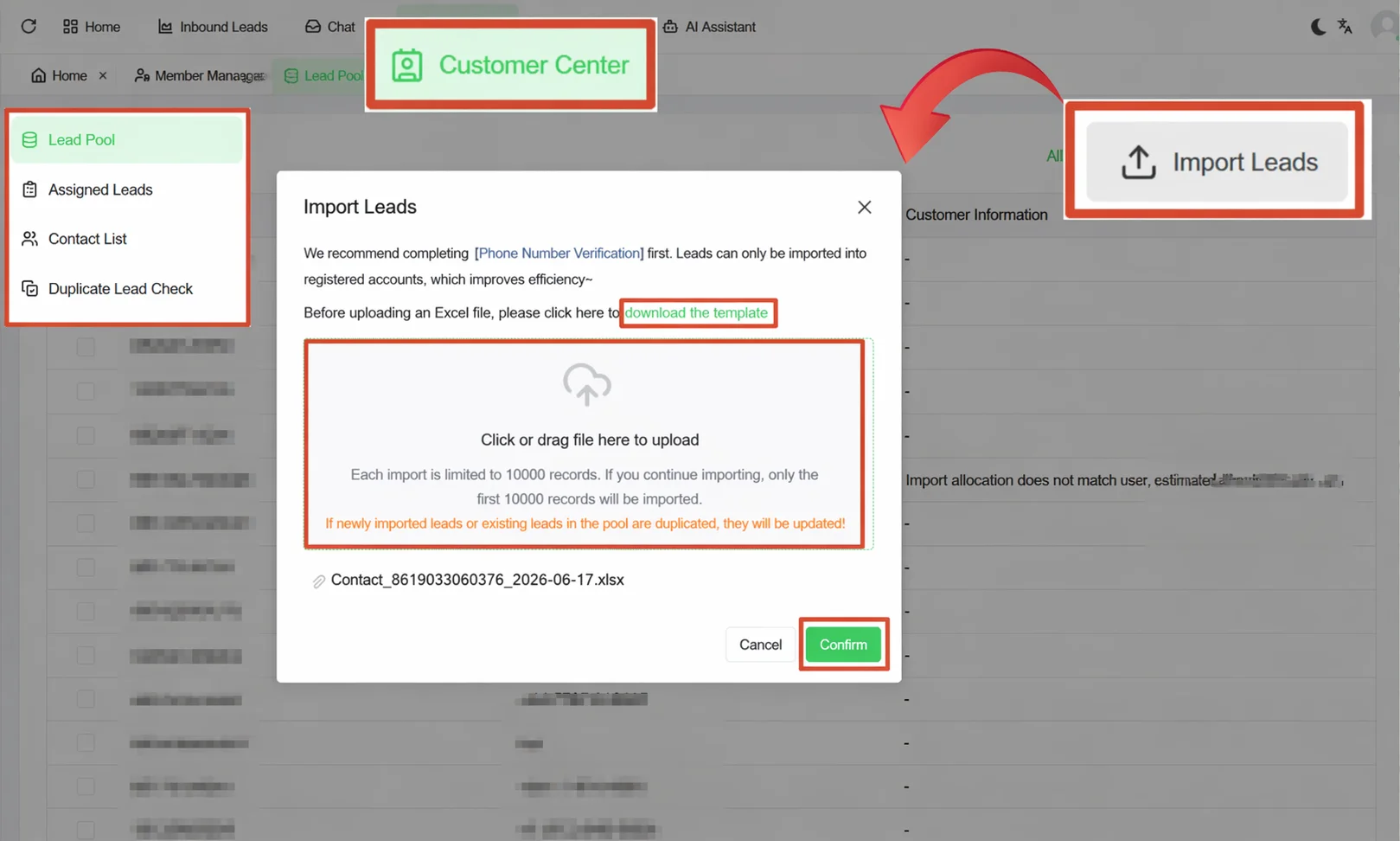 Client list with tag filters: see the distribution at a glance
How to Build Your WhatsApp Client Profiling System
Step 1: Define Your Client Classification Logic
Don't start tagging yet. Spend 30 minutes figuring out:
- What dimensions can you classify clients by? (industry/size/region/purchase stage…)
- Which clients deserve the most attention?
- Which clients could you safely deprioritize?
Step 2: Create Your Tag System in WADesk
Create primary tags (industry, sales stage) and secondary tags (specific values). Start small: 10-20 tags is enough. Expand as you get more sophisticated.
Step 3: Execute "Subtraction" Before Tagging
Clean your contact list first. Archive contacts with 90+ days of no interaction who clearly aren't your target. Remove 20-30% dead weight before applying tags.
Step 4: Let Tags Drive Daily Operations
Set daily/weekly tag-based follow-up tasks. Have reps work by tag priority. Managers periodically review tag data and optimize the system.
FAQ
Does WADesk support auto-tagging?
Yes. You can configure auto-tagging rules: "Client asks for pricing twice → auto-tag as High Intent," "90 days no interaction → auto-tag as Dormant." The system applies tags automatically.
Are client profiles visible to the whole team?
Yes. Tags and profile information are team-shared. Any rep opening a client's chat window sees the complete profile. This is the foundation of team collaboration.
Is there a limit on the number of tags?
No limit. Start with 10-20 tags for beginners, scale to 30-50 for intermediate operations, and create more as needed for advanced use.
Can I import existing client tags?
Yes. Batch import via CSR template. Alternatively, have reps manually tag during conversations. Start with value-tier tagging, then refine gradually.
What's the difference between tags and categories?
Categories are static (which group a client belongs to). Tags are dynamic (a client can have multiple tags simultaneously). A good tag system creates a multi-dimensional "profile" for each client, not just a single label.
Stop treating every WhatsApp contact like they're the same
Book a demo to see how WADesk builds your client profiling system
Disclaimer: Client profiling effectiveness varies by industry, team size, and client base. WADesk complies with WhatsApp platform policies.