

What Is Meta AI on WhatsApp?
Meta AI is Meta's built-in AI assistant integrated into WhatsApp, Instagram, and Facebook Messenger. On WhatsApp, you can summon it by typing @MetaAI in the chat input or simply asking questions directly in a conversation — research, writing, translation, brainstorming, all within the chat window.
But many users find that Meta AI simply doesn't appear, shows a loading spinner indefinitely, or displays an "unavailable" message.
Let's walk through the possible causes and fixes.
1. Your Region Isn't Supported Yet
Meta AI isn't available worldwide simultaneously. Meta is rolling it out in phases across different countries and regions.
Fix: Check whether Meta AI is available in your country. As of mid-2026, Meta AI has launched in the US, Canada, Australia, New Zealand, Singapore, India, and several other major markets. If your WhatsApp account is registered in a region that's not yet covered, the Meta AI entry point simply won't appear.
Check Meta's official help page for the latest coverage list: Meta AI Availability.
2. WhatsApp Is Outdated
Meta AI requires a relatively recent version of WhatsApp. If your app hasn't been updated in a while, the Meta AI feature may not load.
Fix:
- iOS: Open the App Store, search for WhatsApp, and check for updates.
- Android: Open Google Play Store and check for pending WhatsApp updates.
Consider enabling automatic updates so you always have the latest version.
3. Language Settings Don't Match
Meta AI supports a limited set of languages initially. If your WhatsApp interface language is set to a language that isn't yet supported, the AI won't show up.
Fix: Switch your WhatsApp interface language to English:
- Open WhatsApp → Settings → App Language
- Change to English (US/UK)
- Close WhatsApp completely and reopen
After switching, the Meta AI entry should appear near the chat input or at the top of your chat list.
4. Device Compatibility Limitations
Meta AI has minimum hardware and OS requirements. Older devices or outdated operating systems may not be supported.
Fix:
- Ensure your OS meets the minimum: iOS 15+ / Android 8+
- Check that you have sufficient storage space (Meta AI needs local cache space)
- If your device doesn't support it, try logging into your WhatsApp account on a newer device to access Meta AI
5. Gradual Rollout (You're on the Waitlist)
Even when your region and device meet all requirements, Meta AI rollout is gradual. Your account may simply not have received the update yet.
Fix: There's no immediate fix for this. You can:
- Keep WhatsApp updated to the latest version
- Follow the WhatsApp blog for rollout announcements
- Periodically check for the Meta AI entry at the top of your chat list
6. Corrupted App Cache
Sometimes corrupted local cache data prevents new features from loading correctly.
Fix: Clear WhatsApp cache (this won't delete your chat history):
- Android: Settings → Apps → WhatsApp → Storage → Clear Cache
- iOS: Uninstall WhatsApp and reinstall (back up chats to iCloud first)
7. Account Type Restrictions
Some WhatsApp Business accounts or API-based accounts may fall outside Meta AI's gradual rollout scope.
Fix: If you're using WhatsApp Business, temporarily log in with a personal WhatsApp account on the same device to test whether Meta AI appears. This is just for diagnostic purposes.
8. Network Connectivity Issues
Certain network configurations or VPN connections can interfere with WhatsApp's connection to Meta AI servers.
Fix:
- Try switching between Wi-Fi and mobile data
- Temporarily disable any VPN or network acceleration tools
- Test on a different network to rule out connection issues
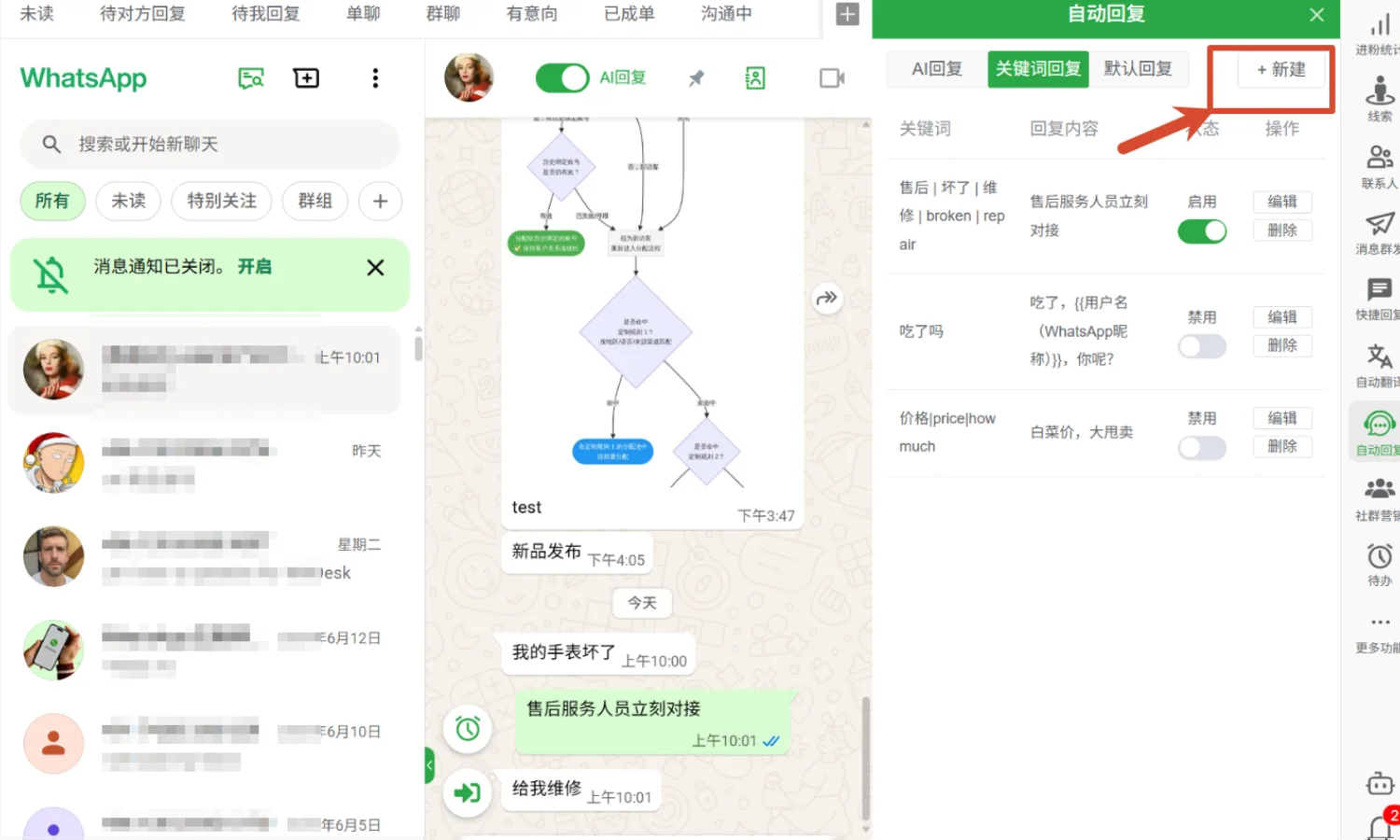
Meta AI entry point on WhatsApp — typically appears near the chat input or at the top of the chat list.
Quick Troubleshooting Table
| Step | Time | Key Action |
|---|---|---|
| Check region coverage | 1 min | Review Meta AI availability list |
| Update WhatsApp | 2 min | App Store / Google Play update |
| Switch to English | 1 min | Settings → App Language → English |
| Check device compatibility | 3 min | Verify OS version and storage |
| Wait for gradual rollout | — | Keep app updated, check periodically |
| Clear app cache | 2 min | Settings → Clear cache (chats safe) |
| Test with personal account | 1 min | Switch accounts to diagnose |
| Check network | 2 min | Disable VPN, switch networks |
What If Meta AI Simply Isn't Available in Your Region?
If you've gone through all the steps and Meta AI remains unavailable in your location or on your device — don't worry. This doesn't affect WhatsApp's core messaging features at all.
In fact, many export teams find that their real productivity bottleneck isn't the absence of an AI assistant, but something more fundamental:
- Managing multiple accounts: switching between 3-5 WhatsApp accounts, logging in and out repeatedly
- Scattered conversations: customer messages spread across different devices, hard to track
- Repetitive replies: copy-pasting the same product intro dozens of times a day
- Missed follow-ups: losing track of who asked what and when
This is where WADesk comes in.
WADesk is a WhatsApp multi-account management platform. It lets you log into and manage multiple WhatsApp accounts simultaneously from your desktop. All messages appear in a unified inbox, with quick reply templates, auto-reply rules, customer tags, and team collaboration tools. It upgrades WhatsApp from a "chat app" to a team-grade customer management tool.
If you manage multiple WhatsApp accounts, check out WADesk Team Inbox: Unified Multi-Account Chat Monitoring. For eliminating repetitive typing with templates, read WhatsApp Quick Reply Script Setup Guide.