


WhatsApp, one of the world’s most popular instant messaging apps, allows users to easily stay connected with multiple people through its group feature. Joining a group is an efficient way to chat—but how exactly does it work?Typically, group admins restrict membership to ensure only relevant people join, whether for family gatherings, work collaborations, or hobby groups. Usually, only admins can share group invites, meaning users must be invited or approved by an admin to enter.But what if many users want to join at once? Manually approving each one would be inefficient. Is there a faster way? Yes! Admins can share a WhatsApp group invite link—a quick and easy method to add multiple members.
What Is a WhatsApp Group Invite Link?
A WhatsApp group invite link is a unique URL, usually formatted as:"chat.whatsapp.com/(random-characters).This link acts as a "digital key"—anyone who clicks it can join the group without needing manual approval from the admin.
But what if the link gets shared publicly? If strangers use the link, the group loses its privacy. Solution:
- Admins can reset the link after sharing it with specific people or within a set timeframe.
- Go to "Invite via link" → "Reset link" to invalidate the old one and generate a new one.
How to Share a WhatsApp Group Link?
Step 1: Access Group Information
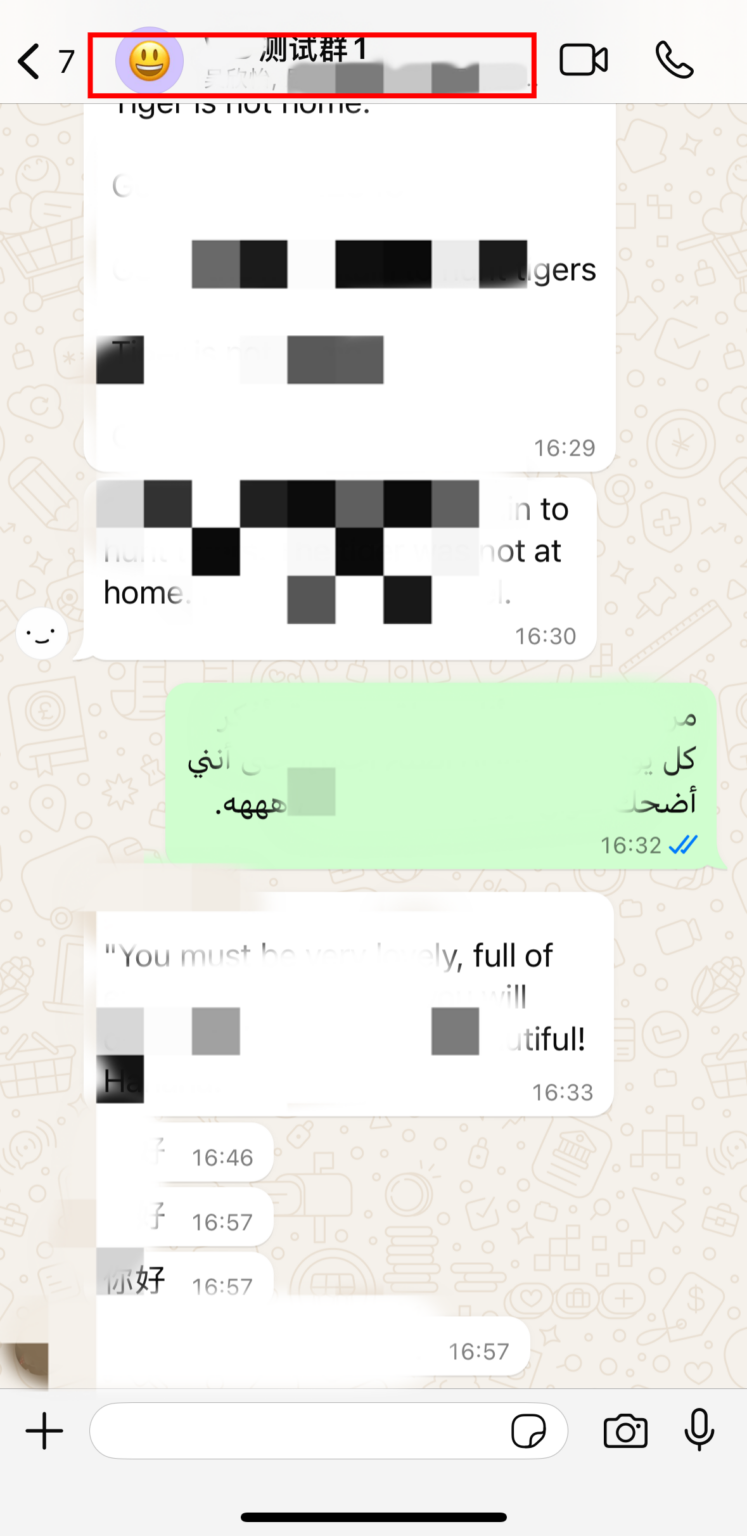
- Open WhatsApp and navigate to your target group
- Tap the group name at the top of the chat interface
- You'll be directed to the Group Info page
Step 2: Obtain Invitation Link
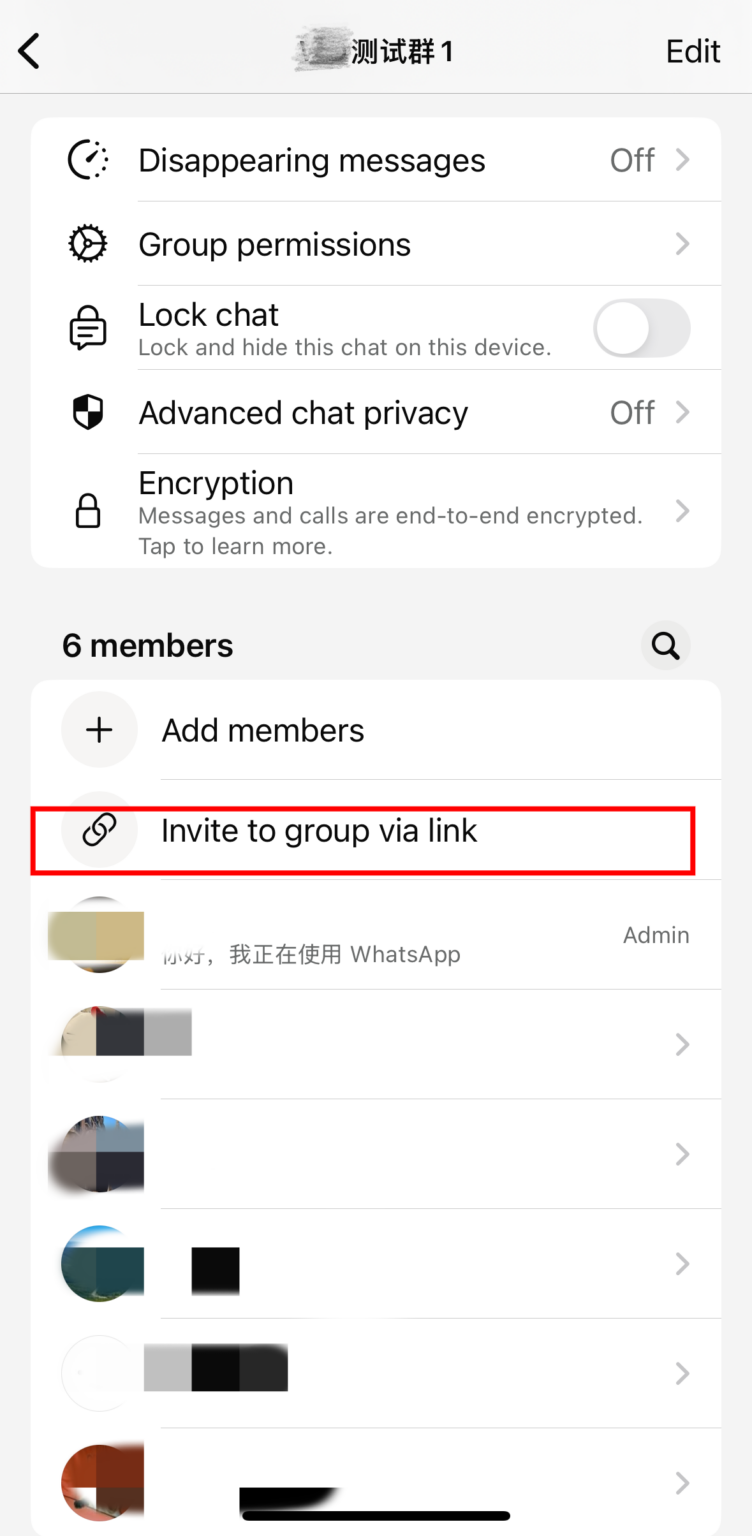
- Scroll down the Group Info page
- Locate and tap "Invite via link" (may appear as "Invite to group via link" in some versions)
- Enter the group link management interface
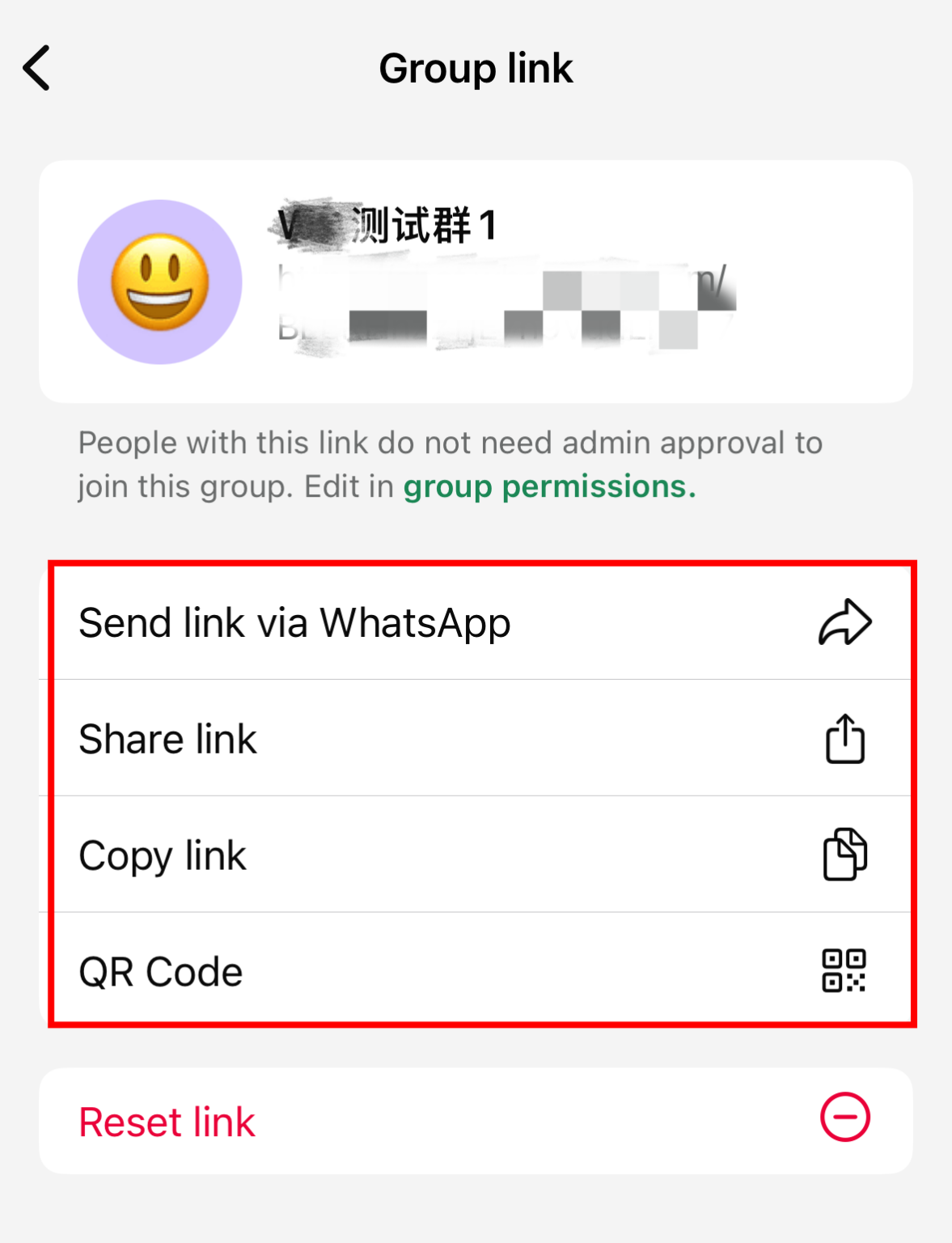
Step 3: Select Sharing Method The system provides four convenient sharing options:
- Send via WhatsApp - Directly share to WhatsApp contacts
- Multi-platform Share - Share through other social apps
- Copy Link - Get a text link for pasting
- QR Code - Generate scannable join credentials
Step 4: Execute Sharing
- Choose "Send via WhatsApp": Automatically opens contact list for recipient selection
- Choose "Multi-platform Share": Brings up system share menu (WeChat/Email/etc.)
- Choose "Copy Link": Automatically saves to clipboard for pasting anywhere
- Choose "QR Code": Generates a unique QR code that supports:
- Instant scan-to-join
- Save as image for forwarding
- Embedding in promotional materials
What If You Need to Join Multiple Groups at Once?
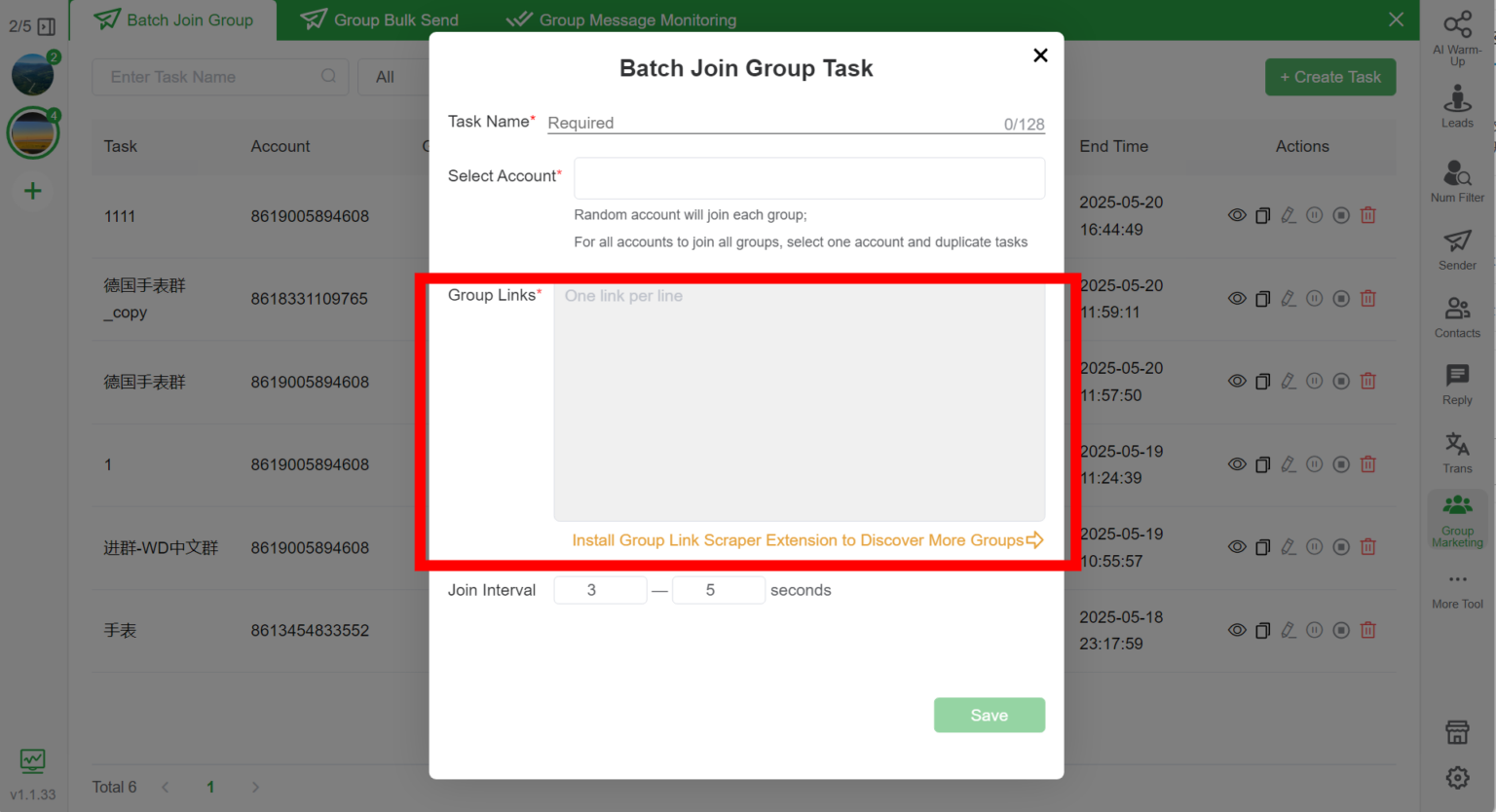
WhatsApp doesn’t natively support bulk joining, but there’s a solution: WADesk.
This tool’s community marketing feature allows you to:
- Join multiple groups simultaneously—just paste all the invite links.
- Manage multiple WhatsApp accounts in one place, making bulk joins effortless.
Conclusion
WhatsApp groups make it easy to connect with many people at once. While joining is simple (just click an invite link), bulk joining requires a specialized tool like WADesk.
If you need to join multiple groups efficiently, WADesk is a powerful solution worth exploring!