
How to Use
1
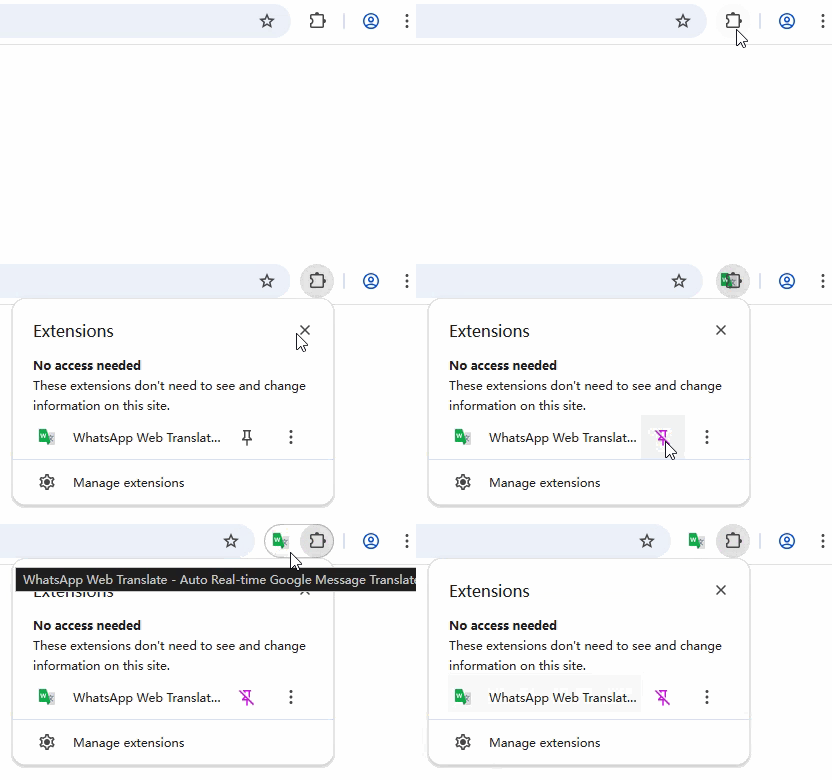
Very ImportantPin Extension to Toolbar
1
Click the Extensions icon in Chrome toolbar.
2
Find "WhatsApp Web Translate" and click Pin.
3
The extension icon will appear on your toolbar.
2
Open WhatsApp Web & Launch
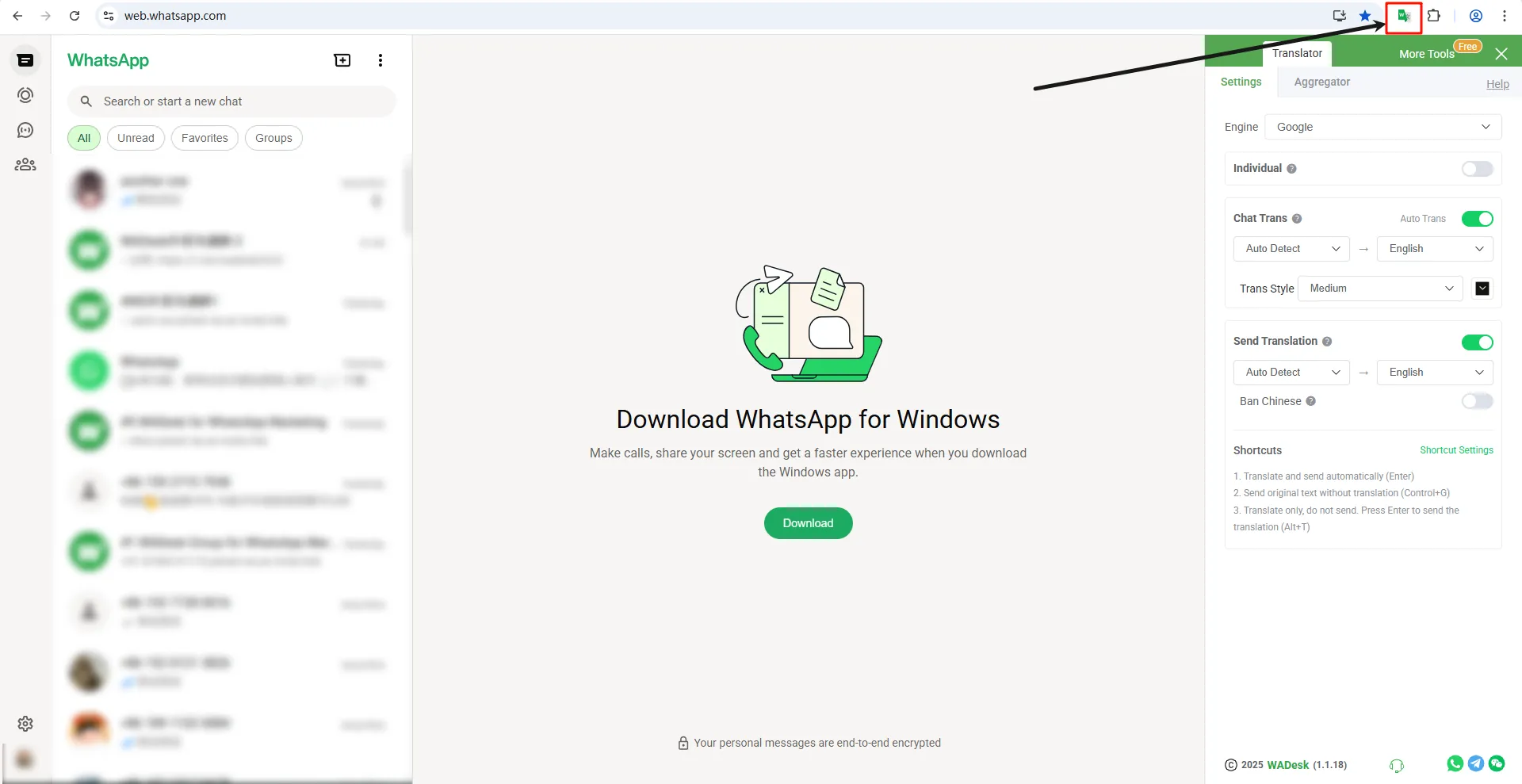
Open web.whatsapp.com in your browser. The translation extension will automatically launch and integrate with your chat interface.
3
Configure Translation Settings
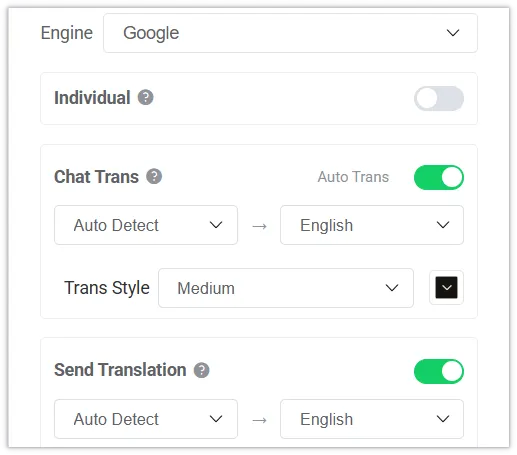
Open the extension sidebar (Settings tab) to customize your translation experience. Select your preferred translation engine and configure auto-translation options.
- Enable 'Chat Trans' to auto-translate incoming messages to your language.
- Enable 'Send Translation' to auto-translate your outgoing messages to the recipient's language.
4
Use Aggregator & AI Optimization
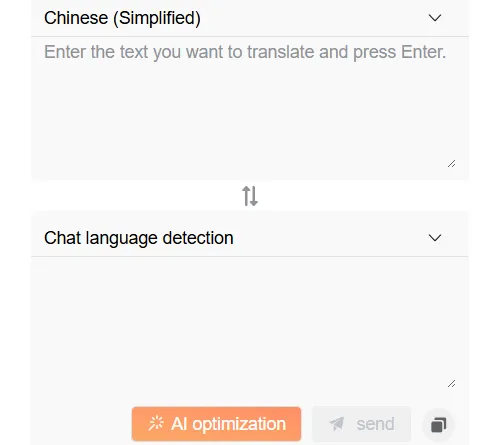
For more complex translations or when you need precision, use the Aggregator tab.
Use the 'AI optimization' button to refine your message tone and accuracy before sending.
Tell us your industry
Get a custom lead plan →
WADesk Support
👋 Thanks for reaching out to WADesk!
Pick your channel and talk to an expert 👇
Scan to add on WeChat

WeChat ID: WADesk私域出海